

I’m going to start you off with what you need to know (and not what you want to hear): There is a LOT of work that goes into observing systems for their health.
First, you have to identify and prioritize what you want to monitor. Your team has limited resources (time, money, etc.) and you simply cannot fully observe everything.
Second, you have to locate and ingest the log or metric data needed to observe those systems into a monitoring tool. This means acquiring a tool, training your people on it, as well as the process of ingesting and storing that data.
And third, you have to decide what in that data is worth monitoring and utilize the technical skill needed to write the searches themselves…and this isn’t even getting into alert actions once a monitoring threshold has been hit…
Simply put, any significant help organizations can get in accomplishing the above can save enormous time and improve the quality of the alerts being generated, and that is exactly what this Search Pack is designed to do. If implemented correctly, this Search Pack will noticeably improve your ability to observe and react to health issues within your Kubernetes environment.
What is in the Pack?
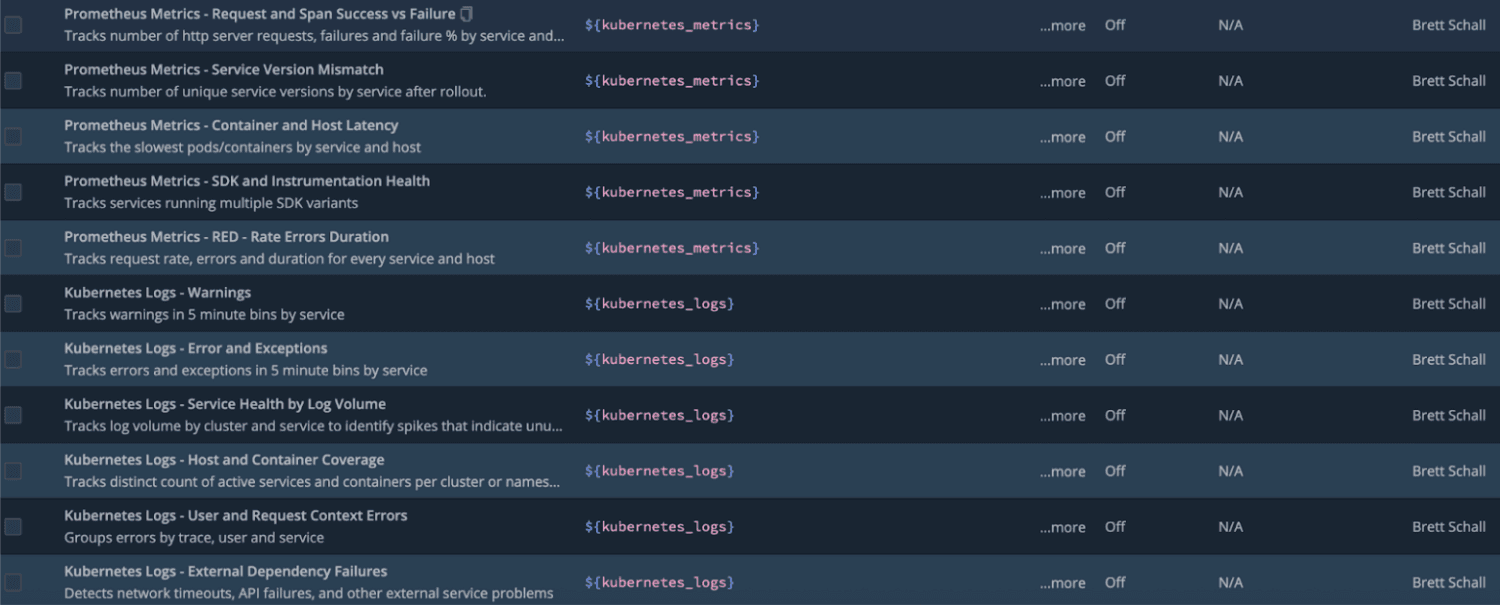
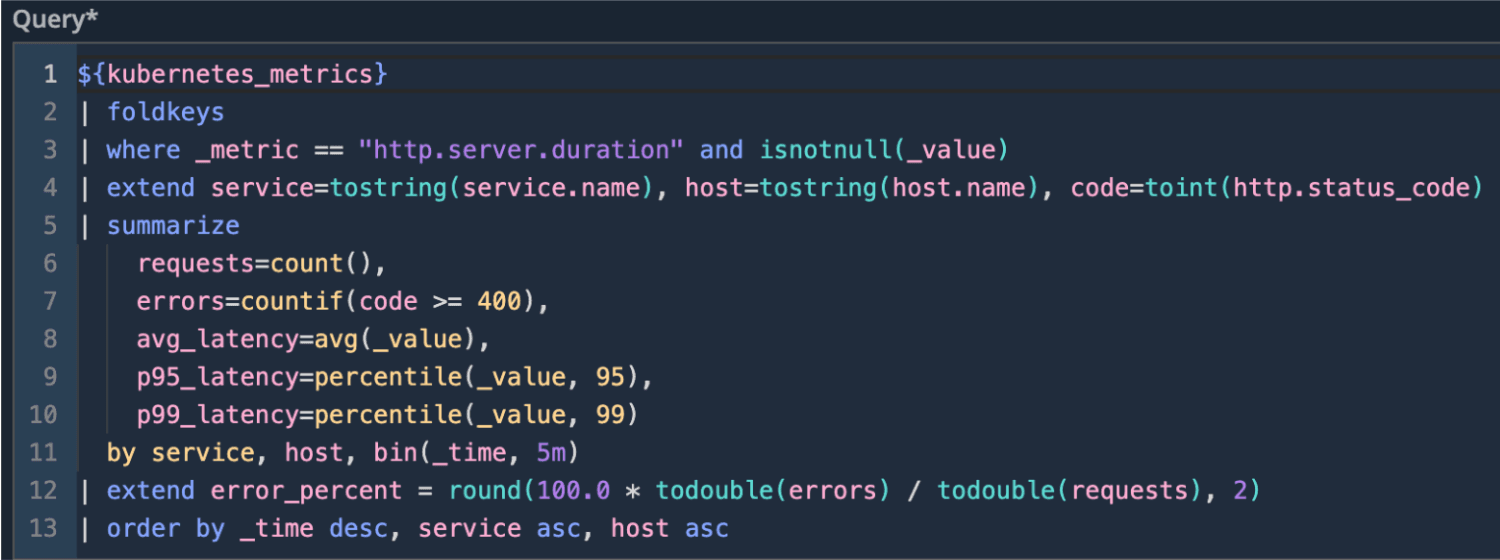
20 Saved Searches: You get 10 Prometheus metric searches and 10 Kubernetes log searches—prebuilt and vetted to surface the most important signals from your K8s environment. Searches are disabled by default to prevent unexpected resource usage, giving you full control to enable only what matters and schedule them on your terms.
Comprehensive Documentation: A step-by-step README walks you through what each search does, why it’s valuable, and how to get it running quickly. You’ll find guidance for scheduling searches, enabling alerts, and getting meaningful results without trial and error. No steep learning curve—just simple setup and fast wins.
Time Savings: Instead of building queries, alerts, and dashboards from scratch, plug in thoughtfully curated industry-standard searches designed around real-world Kubernetes monitoring needs. Ingest your data, enable the searches you want, and instantly accelerate troubleshooting, alerting, and visibility.
Installation Steps
Click “Products” on the top left of your Cribl Instance to expand the Products bar
Under the Search category, click Packs at the bottom of it
On the top-right, click Add Packs and then Add from Dispensary
Type in the name of the Pack and click on it
Click Install
Usage Steps
Once installed, click on the Pack and navigate to Pack Settings.
Read through the README instructions on what content is available, why it matters, and how to schedule the searches and add alerts.
That’s it! Super simple. Give the Cribl Search Pack for Kubernetes a try and unlock clearer insight, faster troubleshooting, and a more confident path to Kubernetes monitoring.
Questions or comments?
Contact Brett Schall on Cribl Community Slack.