
Investigations are time-sensitive, and analysts shouldn’t waste time recreating the same workflows or rewriting familiar queries. Whether troubleshooting infrastructure, investigating suspicious IPs, or analyzing host activity, teams often rely on duplicating old processes and copying query snippets — a slow, inconsistent approach that’s hard to scale.
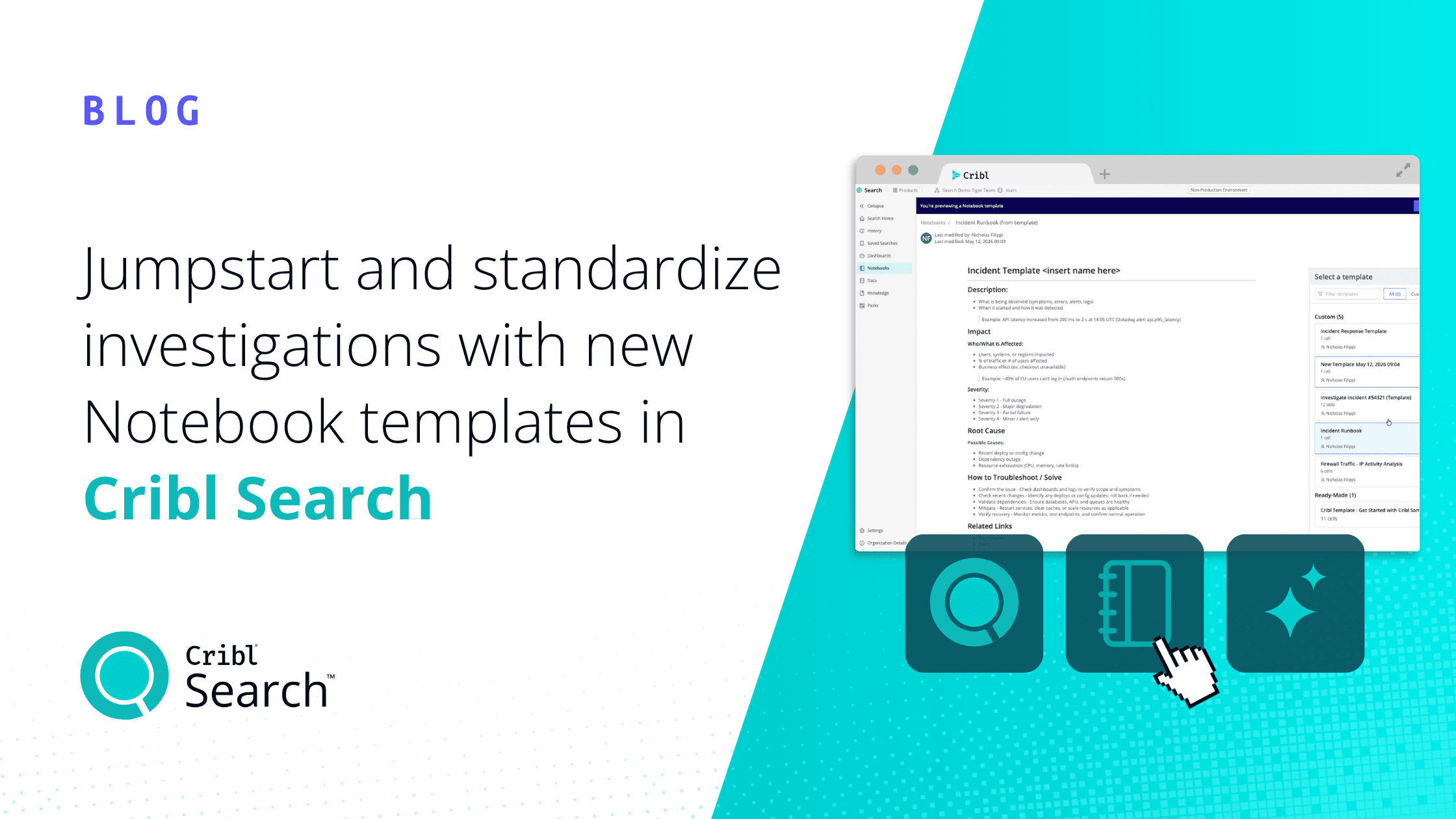
That’s why I’m excited to share that templates are now available in Cribl Notebooks. Teams can create reusable investigative workflows that standardize analysis, documentation, and reporting, so you can spend less time editing queries and more time uncovering and reporting on insights.
The challenge: Too much repetition, not enough reuse
Cribl Notebooks are one of the most powerful ways to investigate telemetry data, collaborate across teams, and document findings. But building Notebooks manually can lead to repetitive workflow creation, inconsistent investigation formats, excessive query editing, and copy-pasting. Over time, this can slow onboarding for new analysts and make it difficult to standardize best practices across the organization.
For example, a security analyst investigating a suspicious IP address may recreate the same Notebook structure dozens of times:
Querying authentication logs
Checking DNS activity
Reviewing endpoint telemetry
Annotating findings
Building summary reports
Over time, these repetitive tasks become investigative bottlenecks. Notebook templates solve this by giving teams a standardized, reusable foundation for common workflows.
What are templates?
Cribl Notebook templates allow you to create reusable blueprints that define:
Investigation flow
Queries
Context and annotations
Structure and formatting
Variables and prompts
Reporting patterns
Instead of starting from a blank Notebook, teams can jumpstart investigations using proven templates built for common use cases and even include live data. That means:
Consistent investigations: Standardize workflows, queries, documentation, and reporting across teams to improve collaboration, reviews, and handoffs.
Faster time to insight: Launch investigations instantly from prebuilt templates instead of rebuilding workflows manually.
Scalable expertise: Capture and share proven investigative workflows and best practices across the organization.
Improved collaboration: Create a common structure and language for investigations, making findings easier to review, understand, and share across teams.
Core capabilities
Create templates from scratch or from existing Notebooks
There are two ways to create Notebook templates in Cribl.
The first is directly from an existing Notebook. If your team completes an investigation that’s likely to happen again — like a suspicious IP review, infrastructure outage analysis, or incident response workflow — you can save that Notebook as a reusable template for the rest of the team. Templates preserve the structure, queries, documentation, and investigative flow, while excluding saved jobs or historical execution data. This allows template authors to validate the workflow and create a clean, reusable runbook others can quickly launch and adapt.
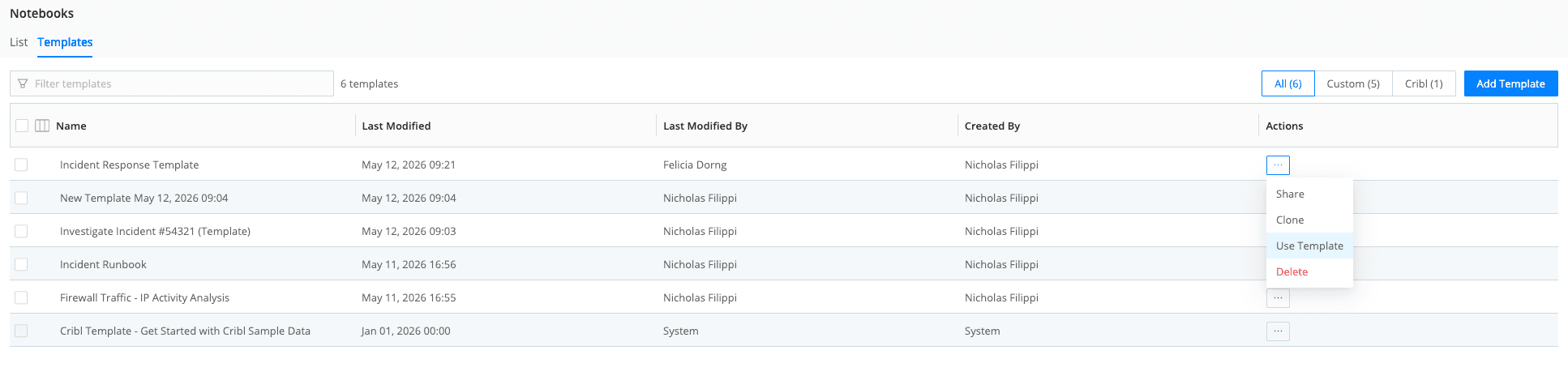
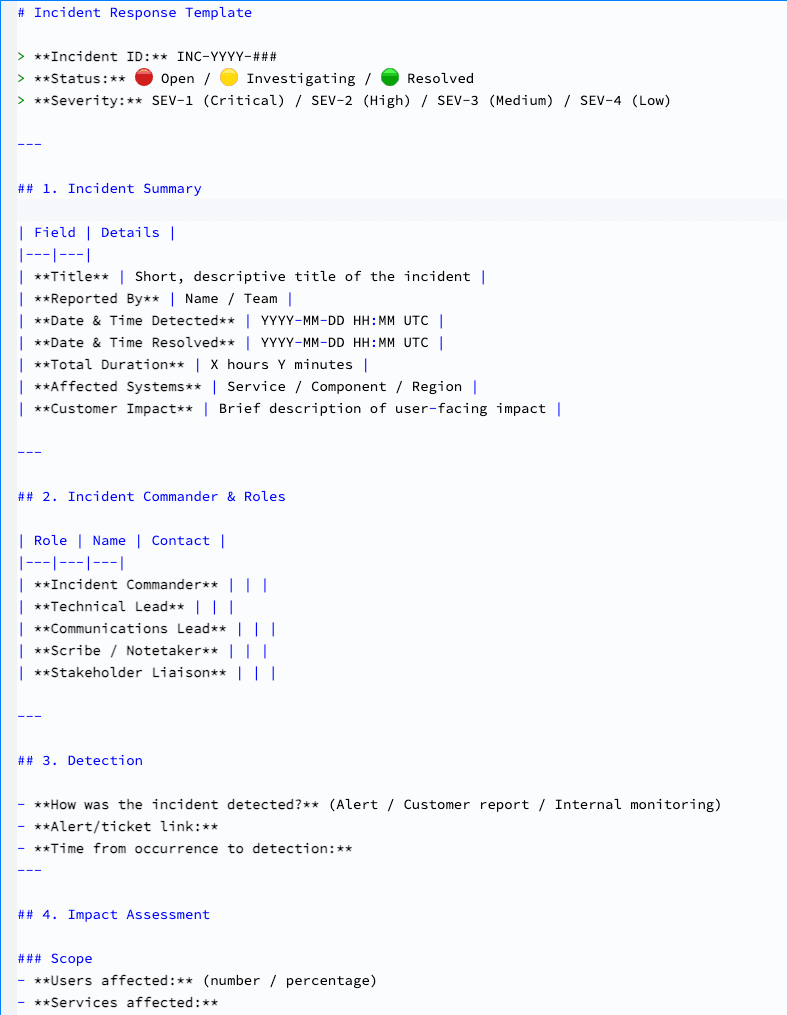
The second option is to build templates from scratch. This is especially useful for security and operations teams that already follow standardized runbooks or established processes for documenting investigations and outcomes. Teams can create opinionated templates for incident response, threat hunting, troubleshooting, root cause analysis, and more — ensuring every investigation follows a consistent format from the start.
Here’s a simple example of what an incident response template in Markdown could look like:
Versioning and template management
Templates evolve as workflows improve, and support:
Versioning
Template updates
Official organization-approved templates
Shared team templates
You and your team can continuously refine investigative workflows while maintaining consistency across users.
Template gallery and discovery
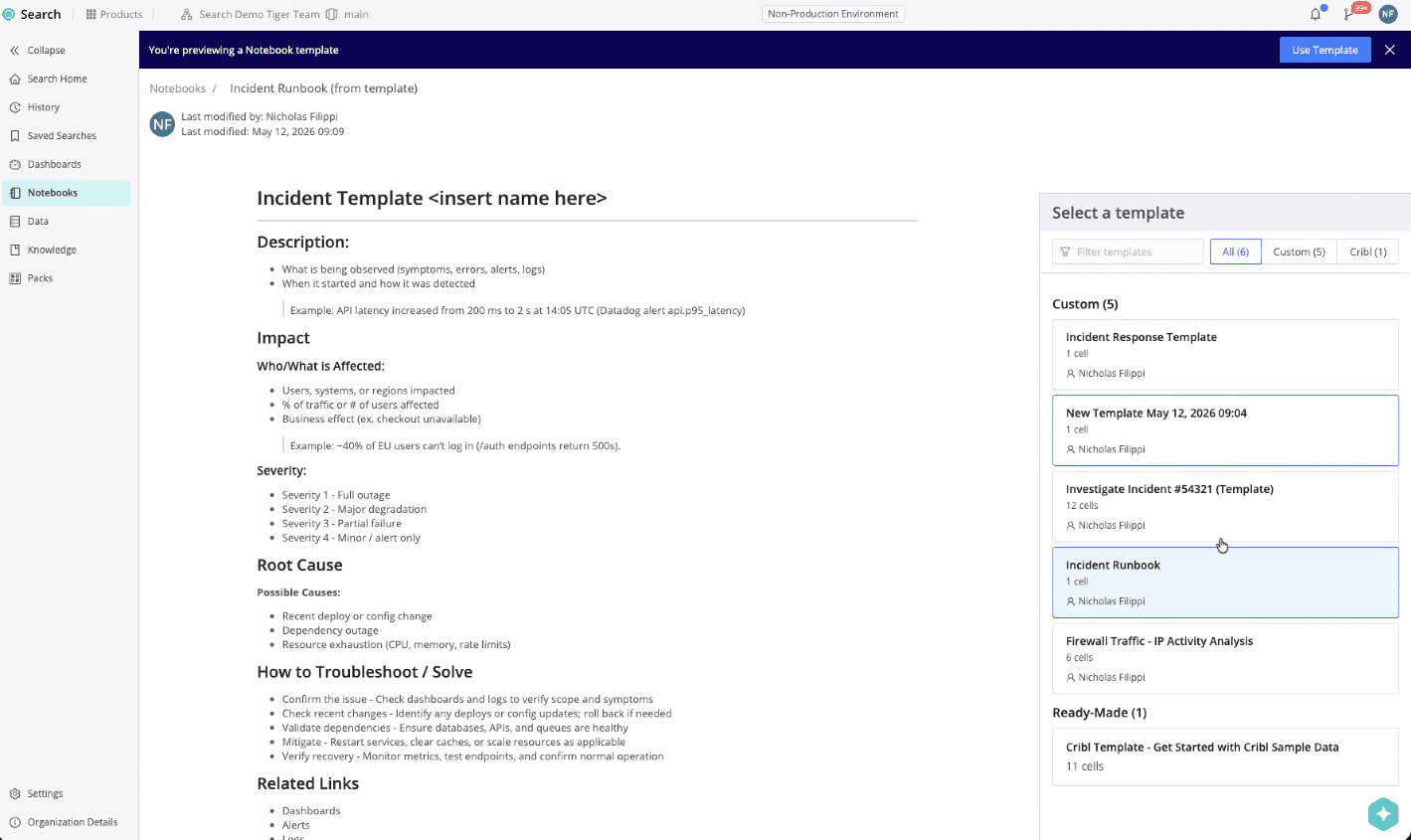
A dedicated template gallery makes it easy to discover and reuse templates. That means you and your colleagues can:
Browse system and user-generated templates
Search by tags or use case
Filter by owner
Preview notebook structure and snippets before use
This helps teams quickly identify the right starting point for a given investigation.
Dynamic variables and initialization
Templates can optionally prompt users to fill in variables during Notebook creation. For example:
Dataset name
Project ID
Hostname
IP address
Time range
This allows a single template to adapt dynamically to different investigations while preserving a standardized workflow.
Governance and access controls
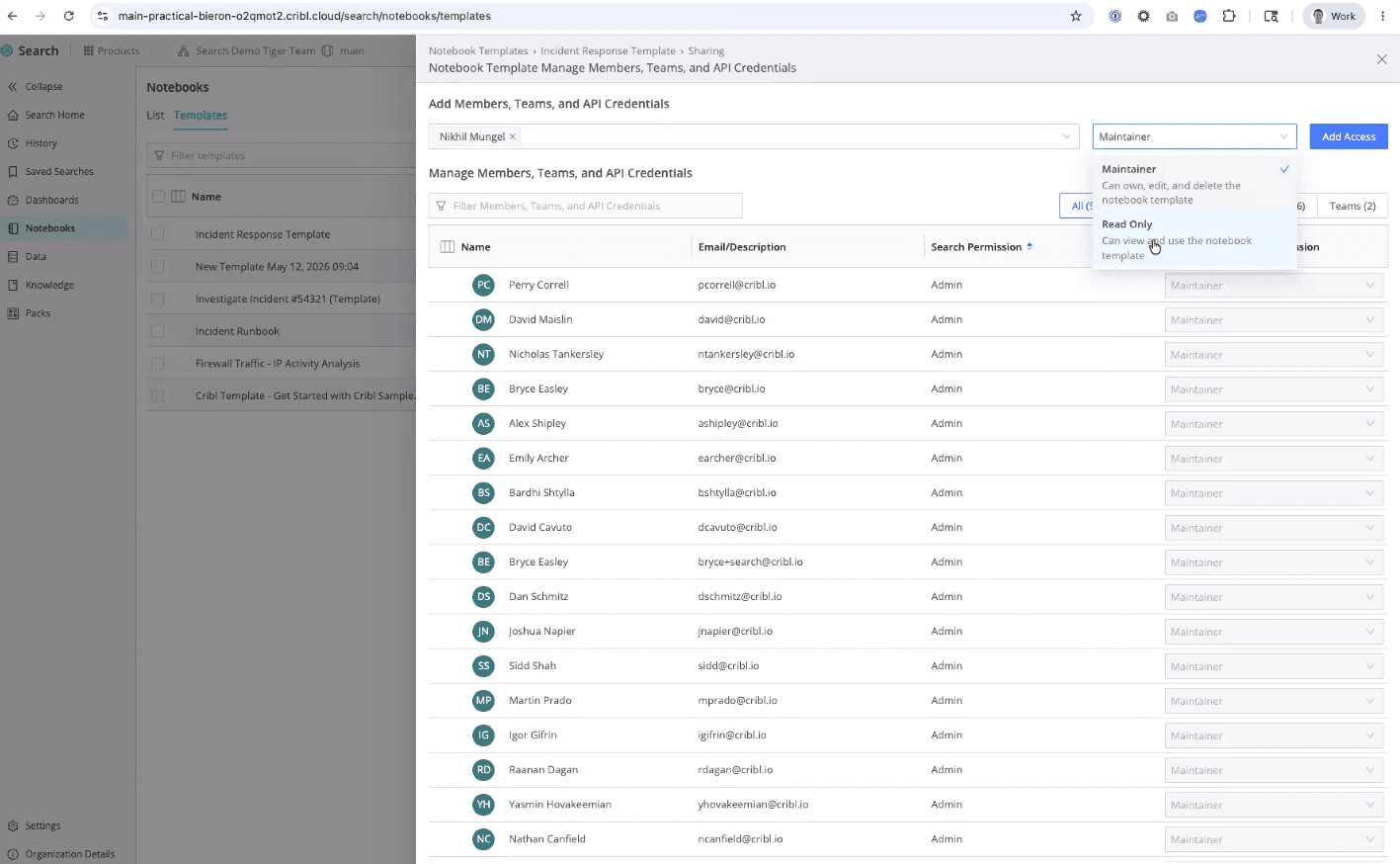
Notebook Templates also introduce governance capabilities for enterprise environments. Organizations can manage:
Template publishing permissions
Editing access
Organization-wide official templates
Audit trails for template usage and modifications
This ensures templates remain trusted, controlled, and aligned with operational standards.
API and workflow Iintegration
Templates integrate with existing Notebook sharing and versioning workflows and include API support for programmatic management.
Future extensibility can support:
Project templates
Dashboard templates
End-to-end investigative workflows
Packaged cross-organization sharing
This creates a foundation for reusable operational workflows at scale.
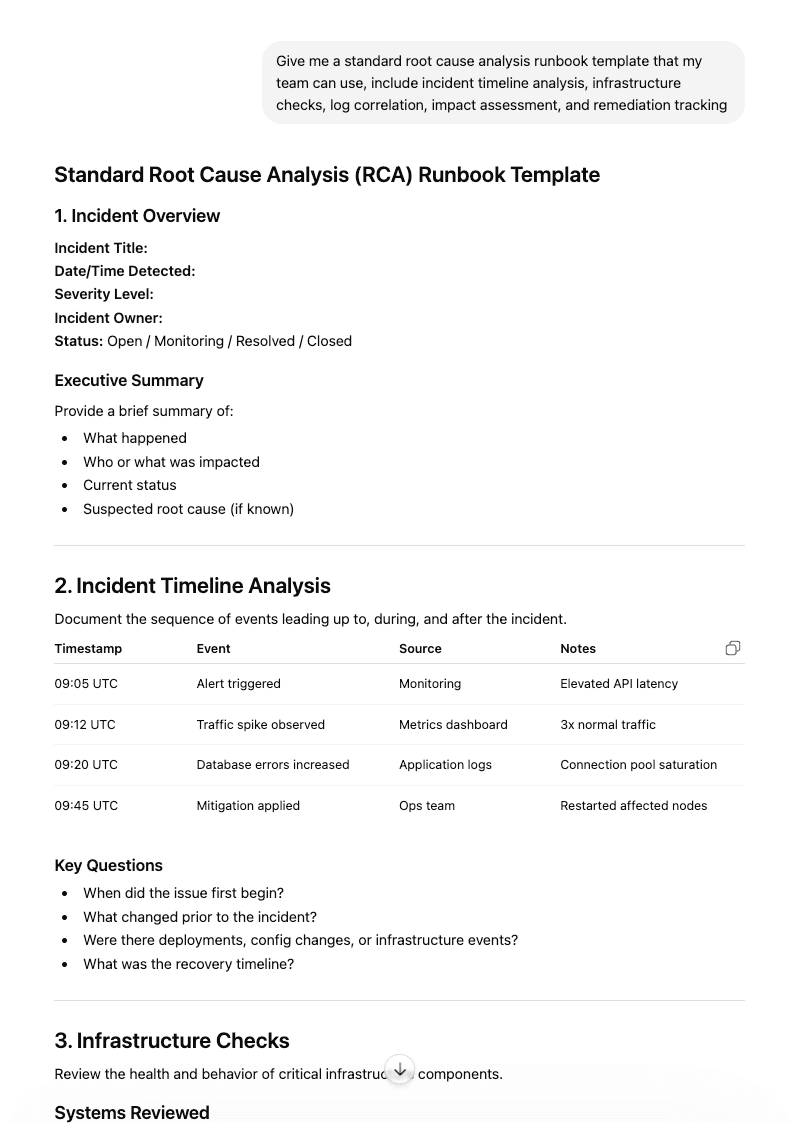
Ask AI to build templates
AI tools like Claude or ChatGPT can help quickly build standardized templates by generating repeatable investigation structures, queries, and documentation sections. Simply prompt the AI with your preferred workflow — such as incident timeline analysis, infrastructure checks, log correlation, impact assessment, and remediation tracking — and simply copy and paste the output into a Notebook template to use as the foundation for a reusable template. From there, you can refine and operationalize the template to ensure every investigation follows a consistent, scalable process.
From 🎶 blank space 🎵 to operational playbooks
From security operations and incident response to infrastructure troubleshooting and application debugging, Notebook Templates help teams standardize and accelerate investigations across every environment, transforming Notebooks from one-off artifacts into reusable operational playbooks.
This is just the beginning. Looking ahead, templates will become even more powerful as they integrate with AI-driven investigations and alerting workflows. Imagine receiving an alert and automatically launching a prebuilt investigation template tailored to that specific issue — whether it’s a suspicious login, infrastructure outage, or application performance anomaly. Instead of starting from scratch, teams will be able to jump directly into a guided investigative workflow with the right queries, context, and documentation already in place.
Ready to streamline investigations and build on your team’s best practices? Try Notebook templates today in Cribl Search!