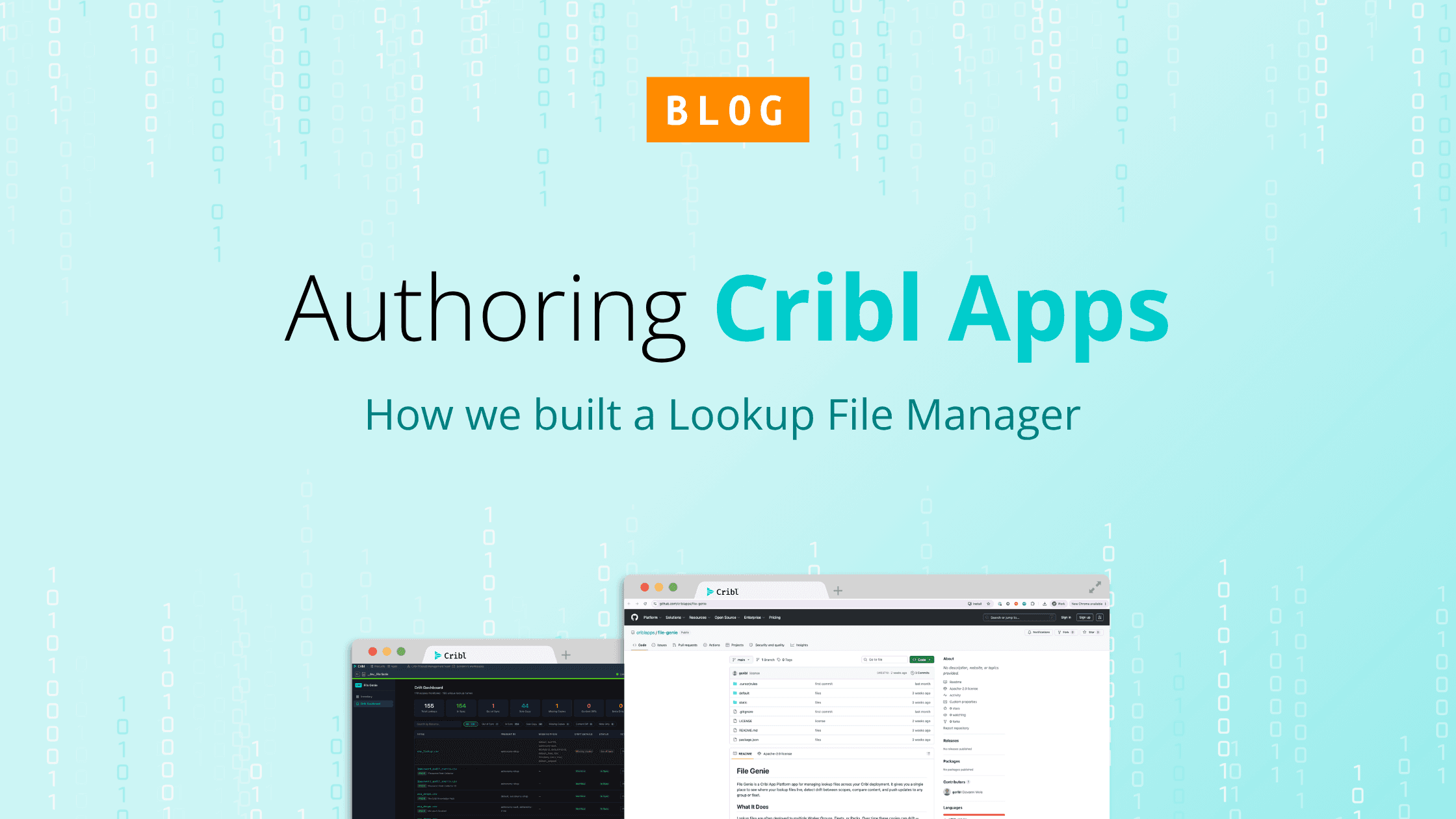

How a real operational problem, managing lookup file drift across Worker Groups and Fleets, became a useful App in Cribl, and what that says about turning domain expertise into software faster. Check out the File Genie app on Cribl's AI Telemetry Platform. https://github.com/criblapps/file-genie
There is a lot of loose talk right now about building software by “just prompting.” Some of it is useful. A lot of it is not. The interesting part is not whether a model can produce code. It obviously can. The interesting part is whether that workflow can help a technically opinionated builder turn a real operational problem into a working app inside a real platform.
That is the bar that matters for the apps built on Cribl's platform.
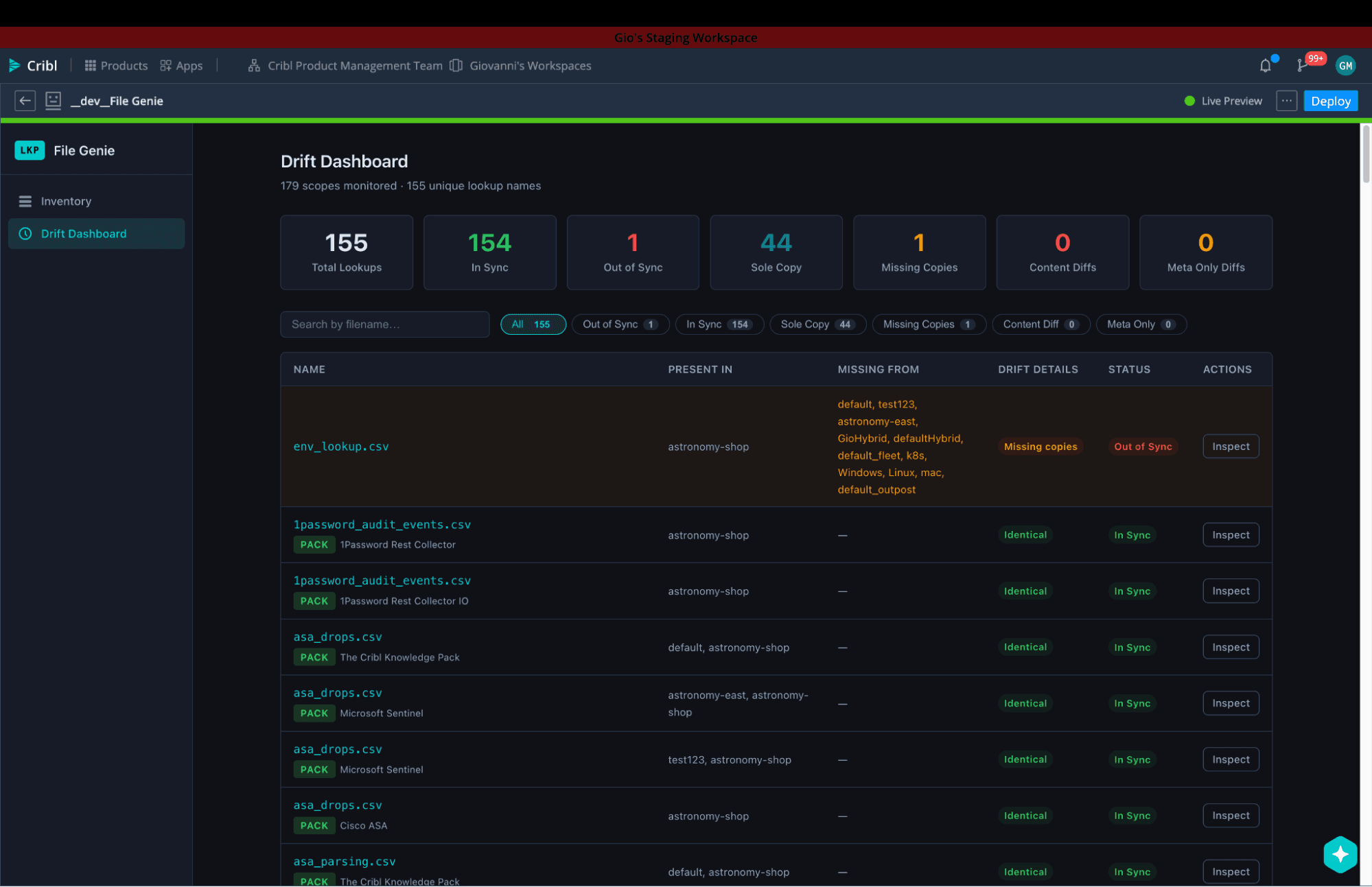
We wanted to test that in a way that felt grounded, not hypothetical. So we built a Lookup File Manager app for Cribl. The goal was simple to explain and painful enough to be worth solving: give operators one place to see lookup files across Worker Groups and Fleets, compare same-named files, detect drift, edit safely, and push changes where they need to go. It’s the kind of workflow that matters a lot in practice, but is too specialized to expect the core product to cover in every form out of the box. That is exactly where apps belong.
We started with a large natural-language prompt in Cursor, then worked forward through inspection, correction, UX refinement, and repeated API validation until the app became something genuinely usable.
What this project proved is simple: prompting helps you build momentum, but product judgment, platform knowledge, and disciplined debugging are what make the app trustworthy. That’s how you get past “AI built an app” and turn operational insight into usable software on a real telemetry platform.
The problem worth solving
Lookup files are deceptively simple until you operate at scale.
In a real Cribl environment, the same CSV can exist in multiple Worker Groups, sometimes in Fleets, and often with subtle drift over time. One copy gets updated in one place. Another keeps the same filename but different contents. Modified timestamps vary. Operators are left asking basic but high-stakes questions: Which version is current? Which groups are out of sync? What changed? Can I safely push one version everywhere else?
That is exactly the kind of problem Apps should be good at. It sits at the intersection of operational workflow, product surface area, and domain expertise. It is too specialized to expect the core product to cover every variant out of the box, but too important to leave to ad hoc scripts and tribal knowledge.
So the app idea was not “let’s build something flashy with AI.” It was “let’s build a control plane for a messy operational task that real users struggle with.”
That framing mattered. A strong prompt can get you surprisingly far, but only if the builder starts with a clear problem, a specific user, and a clear definition of useful.
What building the app actually required
A strong first draft did not come from a vague prompt. It came from taking the time to write a real spec: what the app needed to do, who it was for, and what constraints mattered. In this case, that meant clearly defining the operational jobs to be done. We needed to compare and audit lookup files, surface missing copies, detect meaningful drift, support safe editing, and make the workflow understandable to operators.
That spec was what made prompting useful. It gave the model enough structure to produce a working starting point quickly, but it did not remove the need for judgment. From there, the work became iteration against product and API reality.
Some of that iteration was basic implementation cleanup, like runtime parsing issues. The first inventory view was technically correct but too noisy, so we regrouped it around filenames to make it easier to scan. Sync status logic also had to mature so “out of sync” meant actual content mismatch, not just timestamp differences or incomplete distribution. Those are not cosmetic changes. They determine whether operators can trust what they are seeing.
The same was true for editing. A raw text area proved the underlying functionality, but it did not yet feel like a real product experience. So the app evolved toward a more familiar lookup editor model, with table-oriented editing, text mode, replacement, download, filtering, and row-level actions. Prompting accelerated the build, but the quality of the outcome still depended on having a strong spec and applying human judgment throughout.
Why this matters for the Cribl App ecosystem
The most interesting thing about AI-assisted development with apps built on Cribl's platform is not that it makes coding easier, rather it lowers the barrier between domain expertise and working software. Cribl has no shortage of specialized workflows that matter deeply to operators but are too situational to become first-class product features in the core surface. That is exactly where apps belong. And when prompting can accelerate the path from operational insight to working interface, more of those ideas can get built by the people closest to the problem.
That does not remove the need for platform understanding. If anything, it raises the value of it. The builders who will get the most out of this model are not the ones hoping to skip product thinking or technical verification. They are the ones who already understand the user, the workflow, and the APIs well enough to steer the loop. That is why this Lookup File Manager story matters.
It shows that you can move quickly, and end up with a real app. But it also shows what makes that possible: clear focused intent, and a willingness to debug until the app reflects reality.
That is the opportunity in the Cribl app ecosystem. Not magic. Not autopilot. A faster path from knowing the problem to shipping the tool.