
If you've started building or installing Cribl Apps, you know the power. Apps let you make Cribl’s AI Telemetry platform work for you. Now we’re making apps better and more secure. Admins will have more control on who can use apps, more visibility on what they can do, and we’re giving app authors more capabilities for building secure apps.
Our June release shipped three meaningful upgrades to how Apps handle access and identity: per-App sharing, declarative permission elevation, and signed-in user identity. Together, these enhancements make Apps something you can govern and build real multi-user experiences on top of.
RBAC for Apps
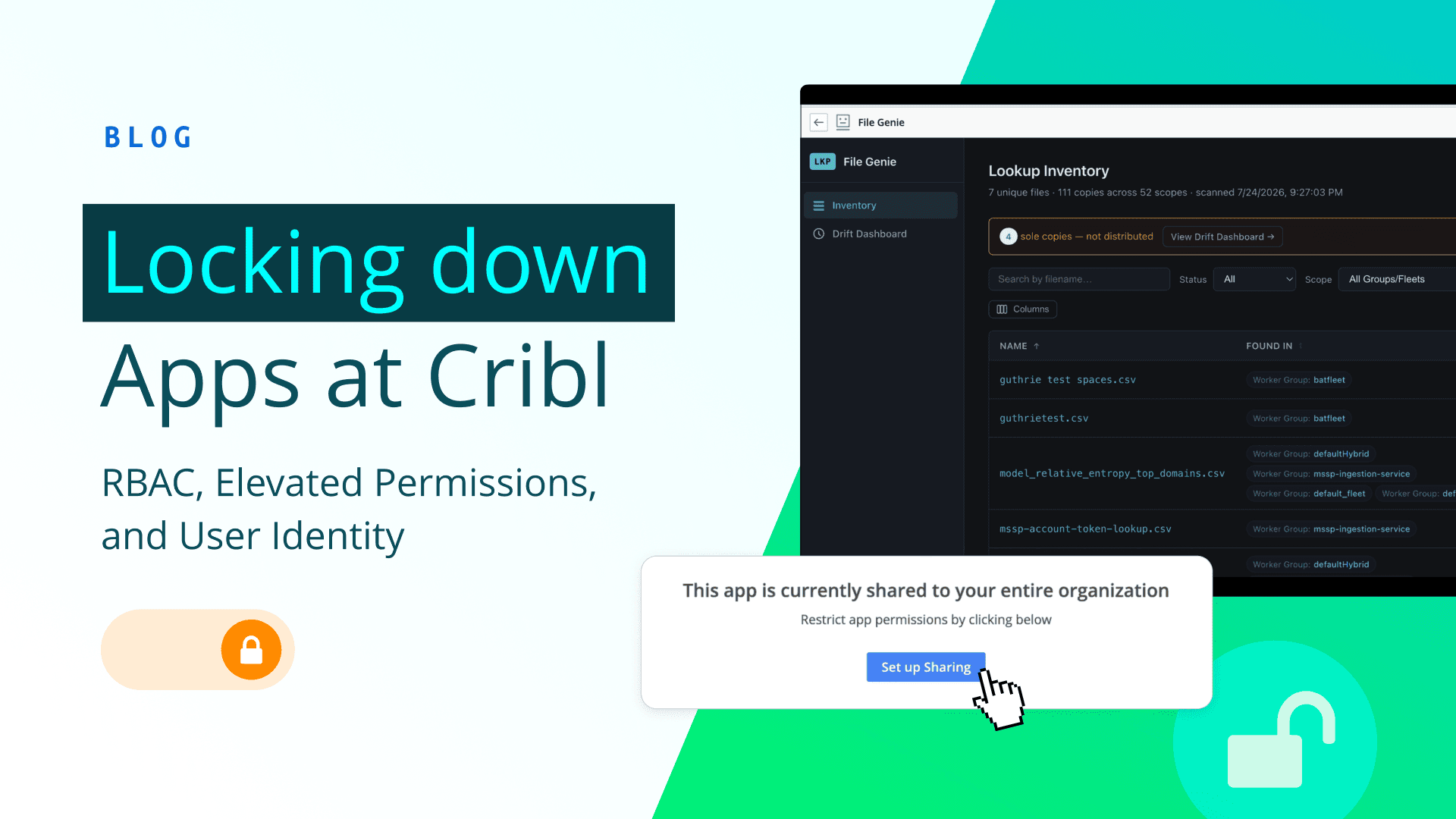
We’re continually hardening the security of apps and providing more tools to admins. We’ve introduced app sharing to allow admins to control which users and teams can use them.
You can now share installed Apps with specific Members or Teams instead of exposing them to your whole Organization. From Apps > Installed, open the row's actions menu and select Share, then assign App user access on the Members or Teams tab.
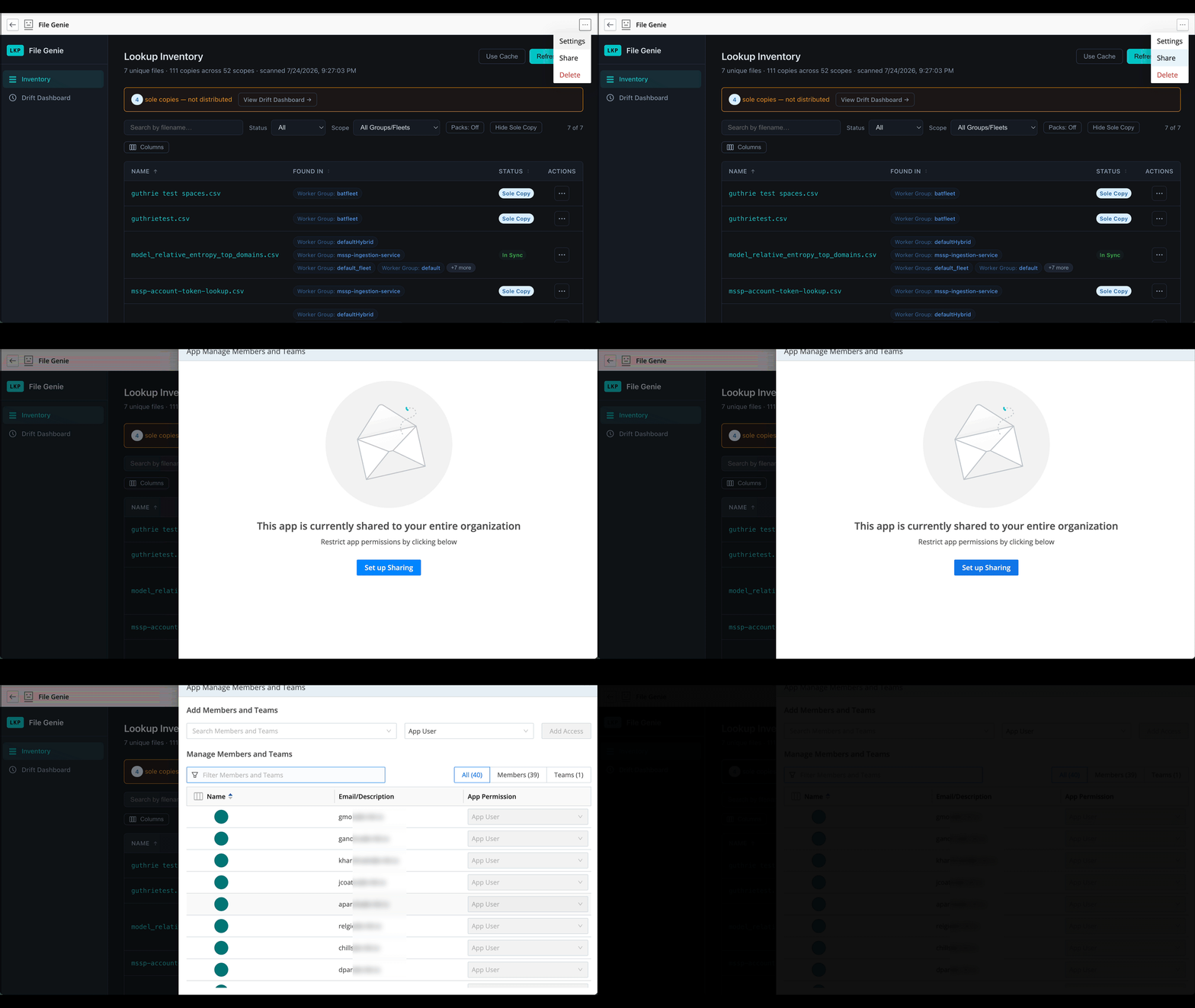
Say you built an internal App for reviewing Worker Group health, but it's really only relevant to your Platform team — now you can limit it to just that team. Or maybe you've got an App that touches something sensitive, and you want to limit the blast radius to a named set of people while you validate it. App sharing puts admins in full control to decide.
For our MVP, RBAC is limited to whether or not a user can see an app. This will get richer and you can imagine more roles appearing in the future like Editor, Viewer, etc.
Elevated permissions: let your App do more than the user can
Apps previously only ran under the permissions of the user accessing them. We’ve seen customers hitting scenarios where apps need to access specific endpoints that the user may not have access to.
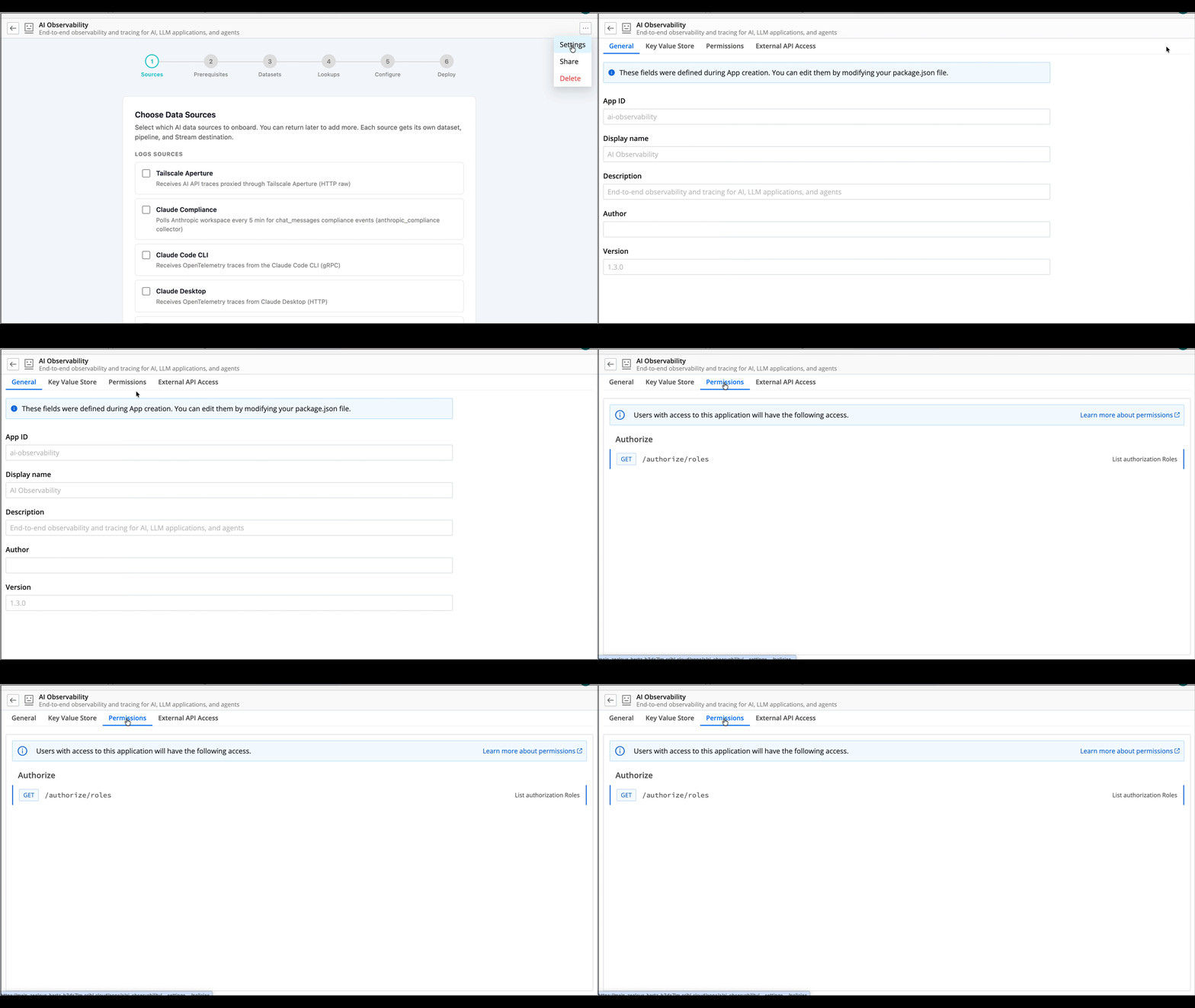
An app author now has the ability to declare elevated access to APIs that it needs. For example by design an app may need to access diagnostic / health data for displaying a dashboard. An author can now declare in policy.yml that it needs access to those APIs and the app will get those permissions. Administrators review these declarations during install and upgrade, right alongside any outbound API declarations from proxies.yml, so nothing sneaks in — you can see exactly how the app will elevate before you install.
In the example below you can see the author has elevated the roles endpoint so that the app can see all the roles in the org regardless of the user’s permission.
Signed-in user identity: apps finally know who's using them
Previously App authors had to jump through hoops in order to determine the user’s identity. This impacted significantly the ability to personalize apps, or to limit their capabilities.
Apps can now read the signed-in member's identity — id, name, and other profile details — directly. You can use the id as part of your namespace keys, so you can really offer a personalized experience. Does your app want to store a list of recent queries for each user? No problem. Want to add your own internal authorization system for parts of your app? Now you can.
Better apps, more secure, more personalized
With the new features apps are getting better. Admins will have more governance, authors will have richer security and personalization options. Most importantly, users will get a more secure and tailored experience.