
We had a TIP problem
YOU GET AN IOC, I GET AN IOC, OUR CISO GETS AN IOC.
Our threat intelligence was everywhere and nowhere at the same time.
IOCs live in emails, PDFs, browser bookmarks, Signal Groups, and Slack threads. Someone shares a report about a campaign targeting SaaS companies, the team pulls out indicators, and we do our best to get them into our tools. Then came the questions that never got easier. Now what? Where did it go? How long do we keep that IOC? Who reviews it, and when?
We'd copy indicators into a SIEM search. Update blocklists. Find more intel, hunt again. For a cycle that was supposed to be proactive, it felt reactive. We had intelligence. We didn't have operationalization.
We evaluated commercial TIPs. They're fine tools with one problem for us: they live outside the place where our data lives. Every tool we looked at ended with an export step, an import step, hope for full deployment, getting the IOCs out of the TIP and into the systems that can act on them. For our team; we are already running on Cribl, that export step was a gap we were paying to maintain.
So we built our own TIP, on top of Cribl.
Build vs. buy
Our telemetry already flows through Cribl Stream. Our security team queries for security data in Cribl Search on a daily basis (ofc!). Our enrichment workflows leverage Cribl's lookup tables. The infrastructure for operationalizing intel was there. What was missing was the workflow layer connecting "we know about this threat" to "our telemetry pipelines are acting on it". This significantly reduces MTTD.
A commercial TIP gives you a good place to store and process threat intelligence. We still need to build the bridge between that storage and our detection and enrichment infrastructure. That bridge is where intelligence programs break down: the export scripts, the lookup sync jobs, the manual copy-paste during investigations. It's where indicators expire, context gets lost, and time-to-operationalization stretches from minutes to weeks.
Building directly on Cribl's app framework eliminated the bridge. Our intelligence now lives where the data lives. The intel lifecycle from planning to feedback, lives in the app and can be tied to your company's Priority Intelligence requirements (PIRs). The curation workflow ends with a sync to the same lookup tables our pipelines already reference. No export step, because there's no gap to export across.
Bespoke Cribl app, yes please!
A single Cribl app, built for our intel workflows, and organized around how our team works day-to-day.
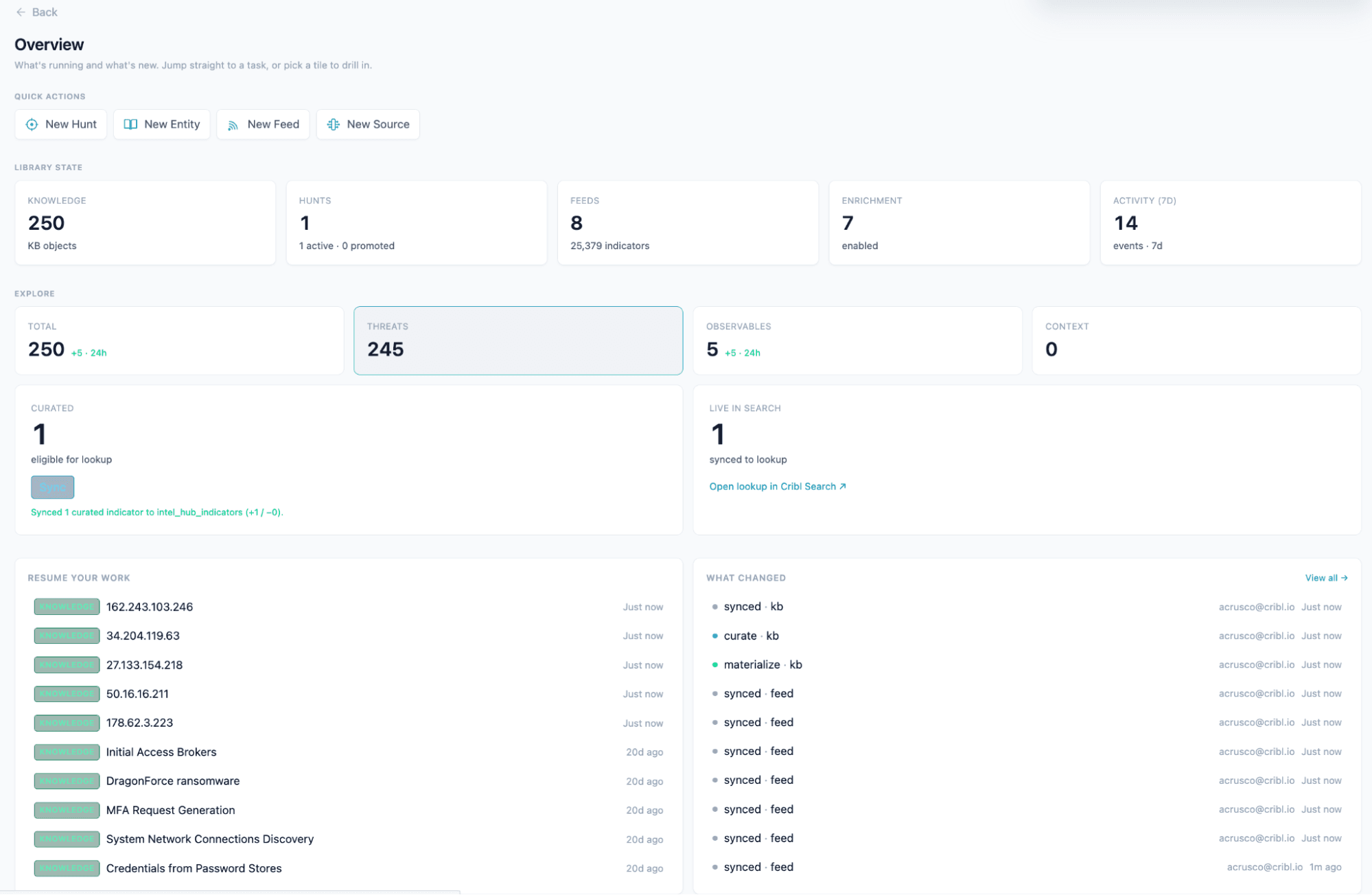
The knowledge base
The foundation is a STIX 2.1 knowledge graph: threat actors, malware, campaigns, TTPs, observables, and the relationships between them. We ingest community feeds (abuse.ch, CISA KEV, Emerging Threats, AlienVault OTX, OpenPhish), vendor advisories as STIX bundles, and our own internal research.
Everything has a lifecycle. Freshness tracking, expiration, curation state. The uncurated queue is where we start most mornings, reviewing what came in overnight, promoting what's relevant and dismissing what isn't.
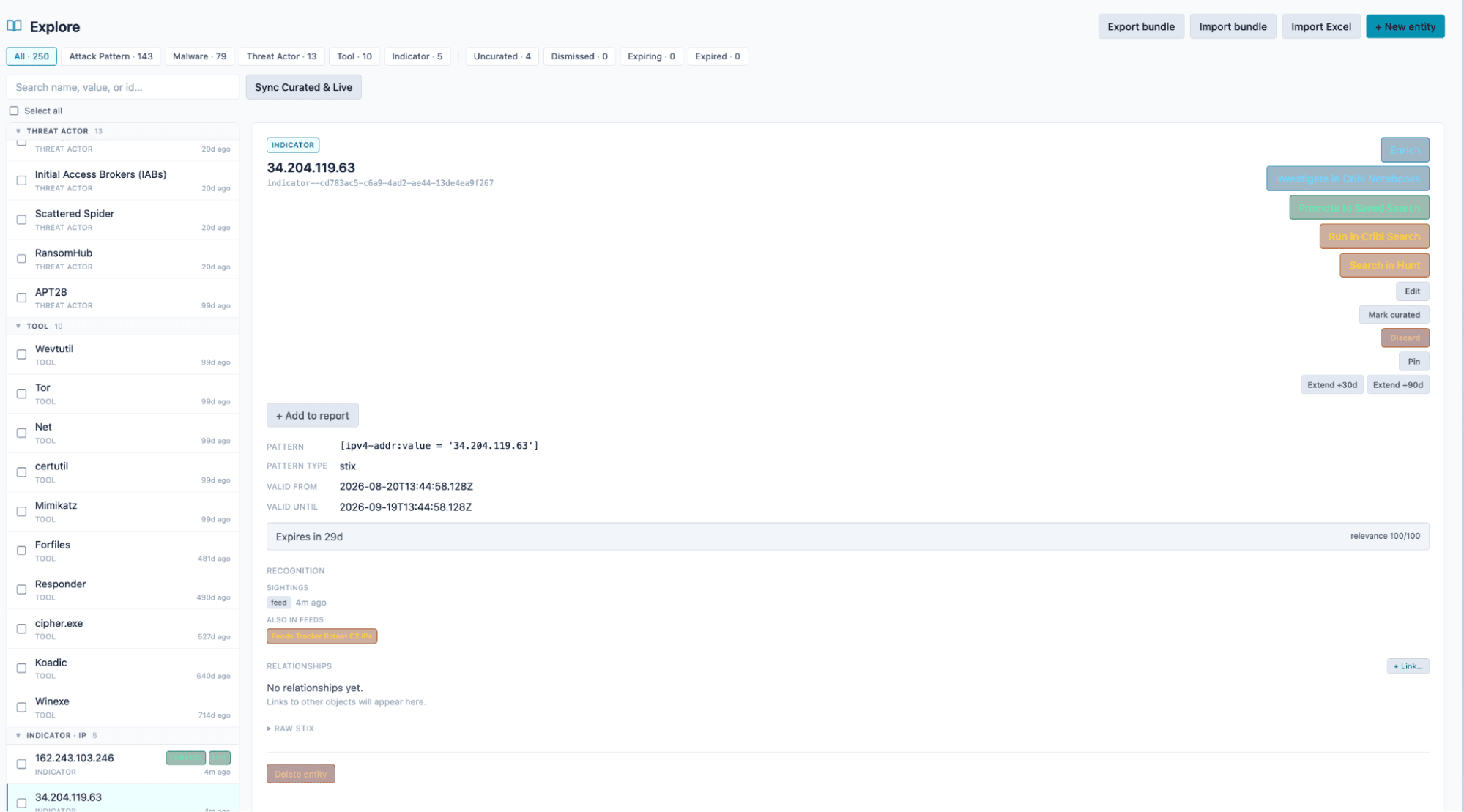
The card view shows how intelligence connects. A threat actor links to their malware, which links to the infrastructure they use, which links to the indicators we're hunting for. That context survives because it lives with the indicator instead of in someone's memory or a Slack thread that scrolled off-screen.
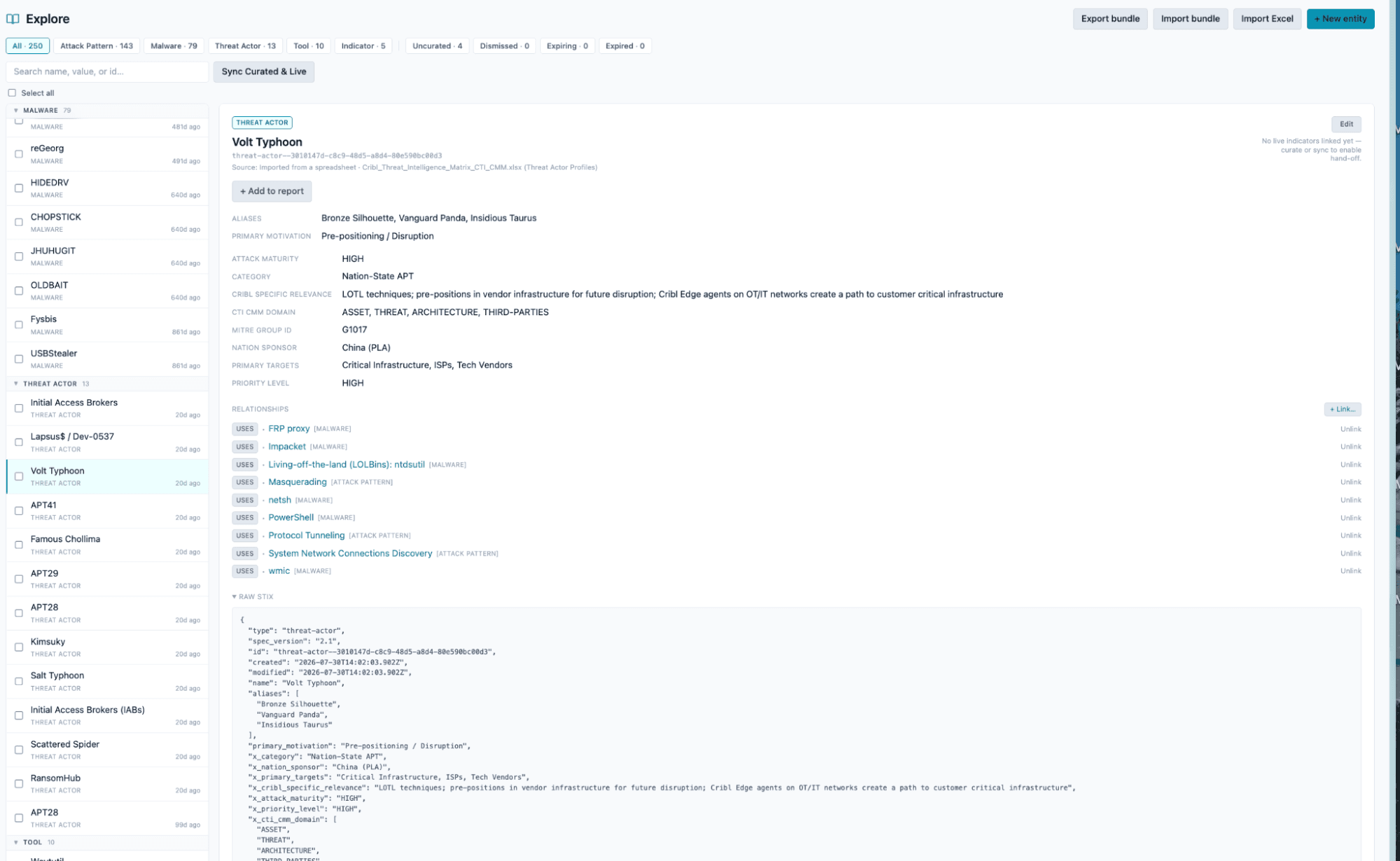
The hunt workbench
This is where we take intelligence and ask whether it's in our environment.
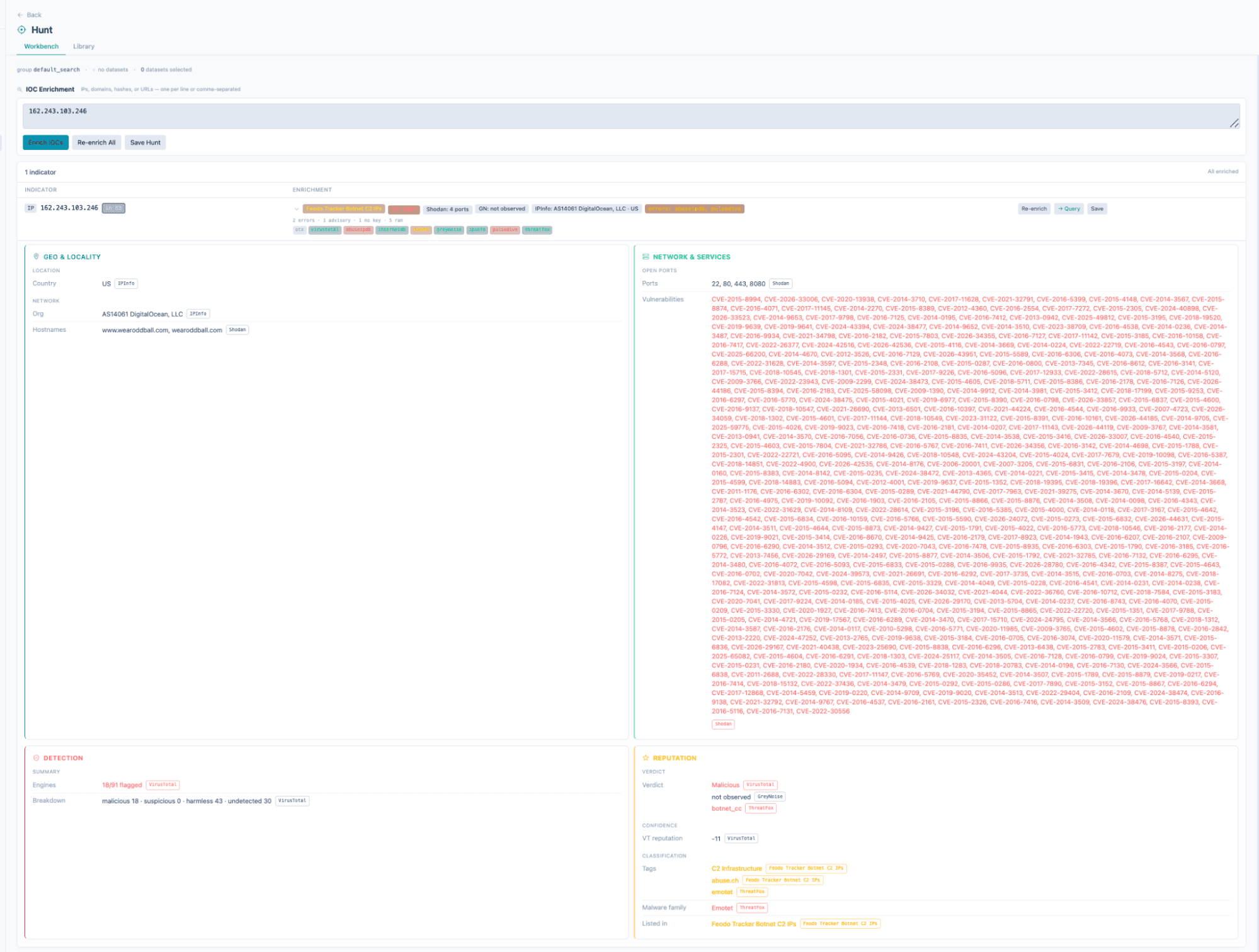
Paste indicators. Get enrichment context from VirusTotal, Shodan, and GreyNoise in parallel. Launch a KQL correlation query directly into Cribl Search. A multi-tab, multi-tool investigation becomes one workflow that ends with an answer.
The enrichment goes past a simple lookup. Each indicator gets context from multiple providers simultaneously, scored and normalized into one view. You can see at a glance whether an IP is a known scanner (GreyNoise), what ports it exposes (Shodan), and how the community has rated it (AbuseIPDB, VirusTotal). Hit the "Query" button and hunt that indicator across your datasets in Search.
Threat research
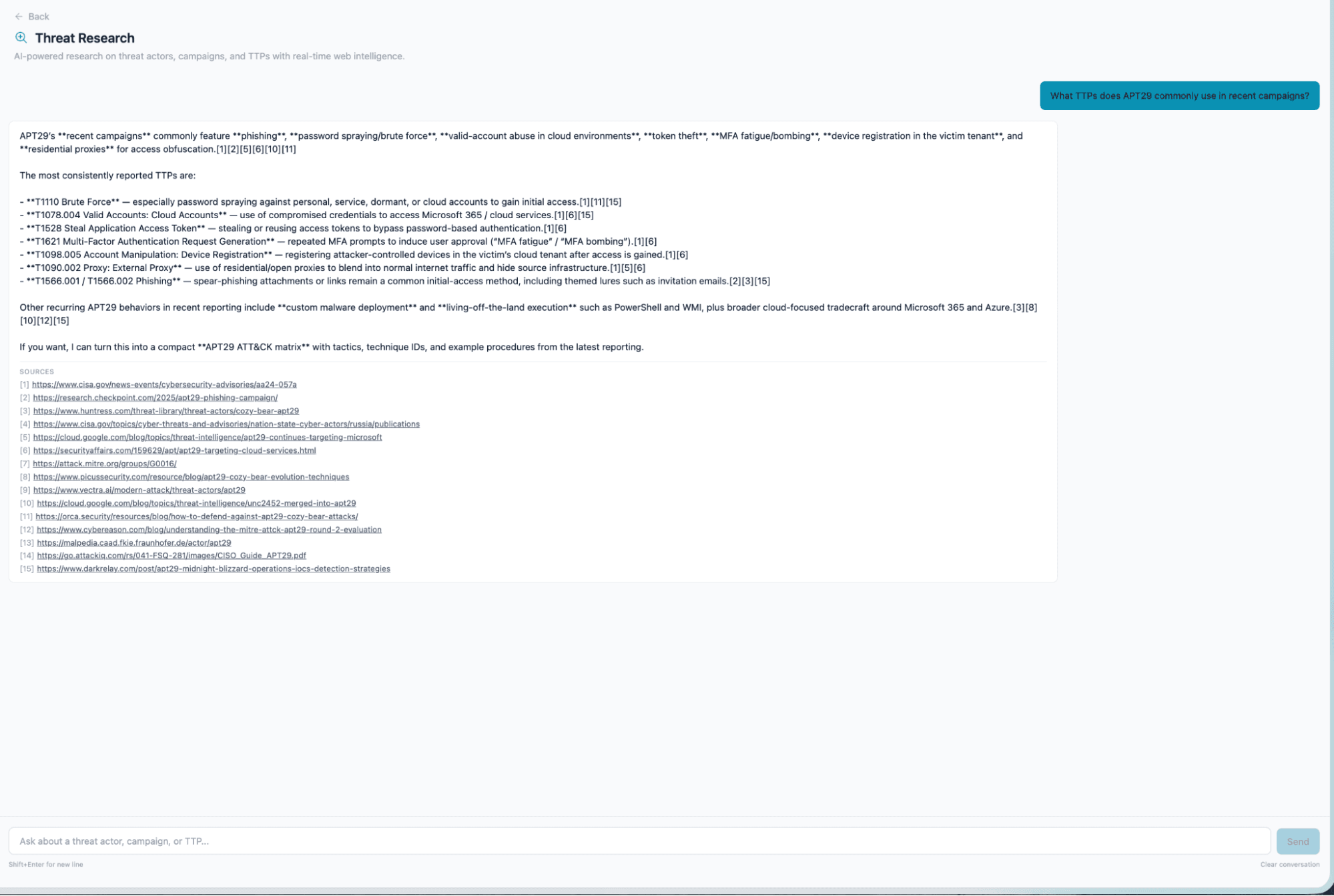
When we're investigating a new campaign or need context on how a threat actor's infrastructure has evolved, the Research tab gives us AI-powered, web-sourced intelligence without leaving the app.
Ask about a threat actor's recent activity, a malware family's delivery mechanisms, or the current state of a campaign. Answers come back sourced and cited, in the same interface where the rest of the investigation is happening.
Curate and sync: Closing the loop
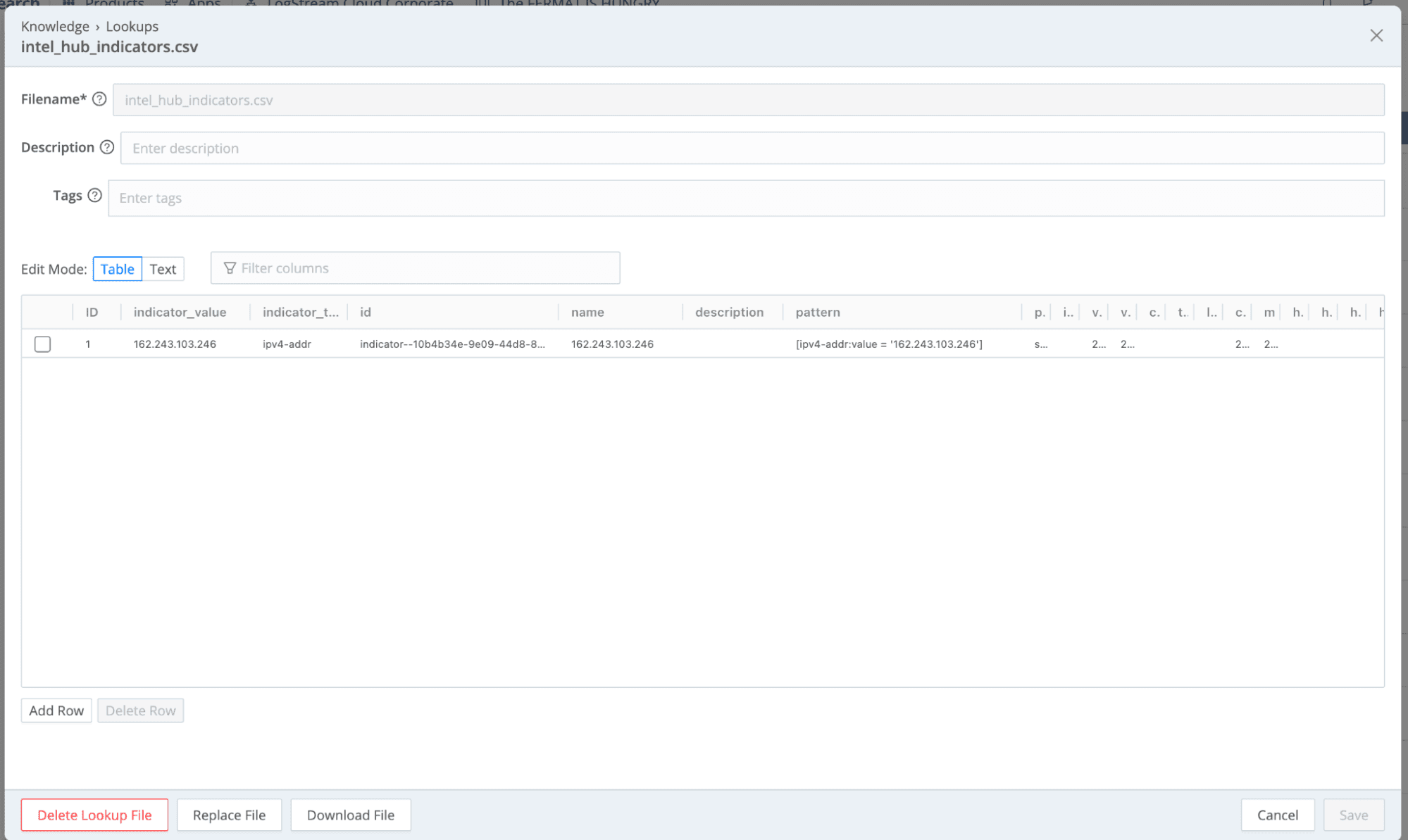
Here's the part that matters. When an analyst decides an indicator is worth operationalizing, they curate it and sync. That indicator lands in a Cribl lookup table, immediately available to every pipeline and route that references it.
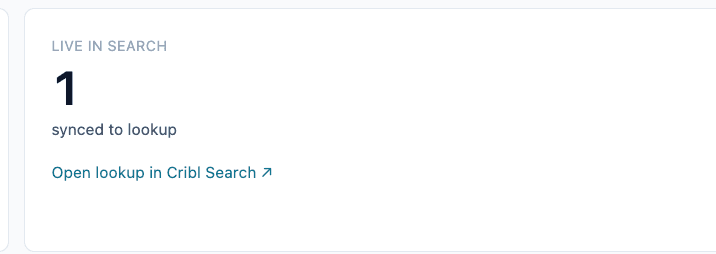
Every synced indicator carries a TTL based on its type. IPs get 14 days, since they get reassigned fast. URLs get 30 days, because infrastructure churns but slower than raw IPs. Domains get 90 days, because registrations persist. File hashes never expire, because a SHA256 is deterministic forever.
When a feed re-sights an indicator, the TTL clock resets from that sighting, so active infrastructure stays in the lookup as long as it keeps appearing in sources. Analysts can override the defaults. Pin an indicator to keep it in the lookup indefinitely, or extend it 30 or 90 days when they know something the automation doesn't.
The eligibility check at sync time is simple: curated, and either pinned or not expired. Cross the TTL threshold and the indicator gets removed from the lookup automatically, then surfaces in the posture view as a coverage gap. Indicators within 7 days of expiry appear in a dedicated review queue so analysts can extend or let them lapse deliberately. The lookup table stays clean without anyone running a cleanup script, and the posture board tells you coverage has decayed before your pipelines start missing things.
Posture and reporting
Once we could see our PIR coverage (which priority intelligence requirements had active indicators in lookups, which had gone stale) the team started self-directing toward gaps. Nobody had to assign "go update the ransomware IOC list." The posture board made the gap visible, and the short path from knowledge base to lookup made it easy to close.

The reporting engine turns investigation findings and knowledge base content into structured intelligence products for stakeholders who don't live in the app framework day-to-day.
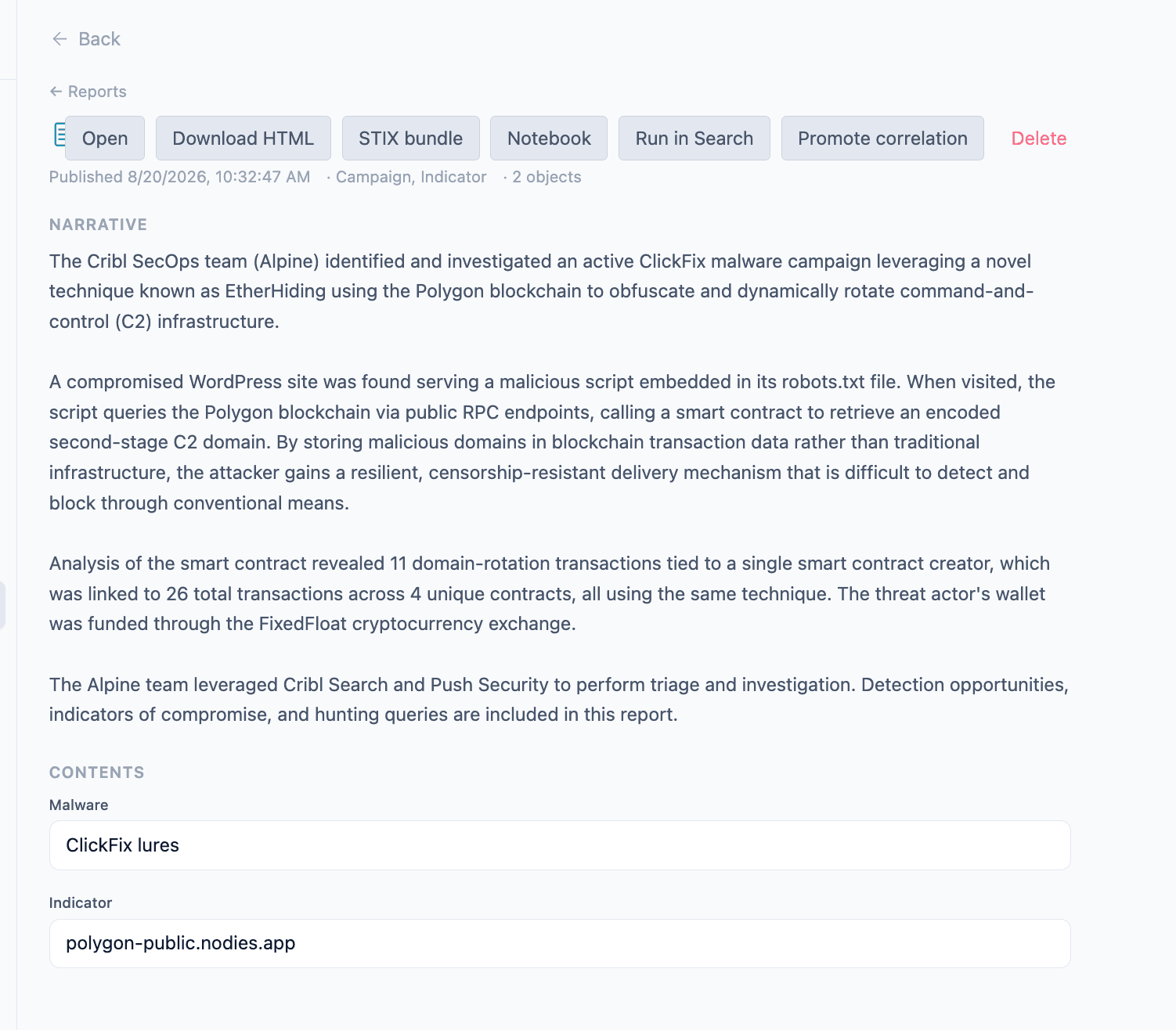
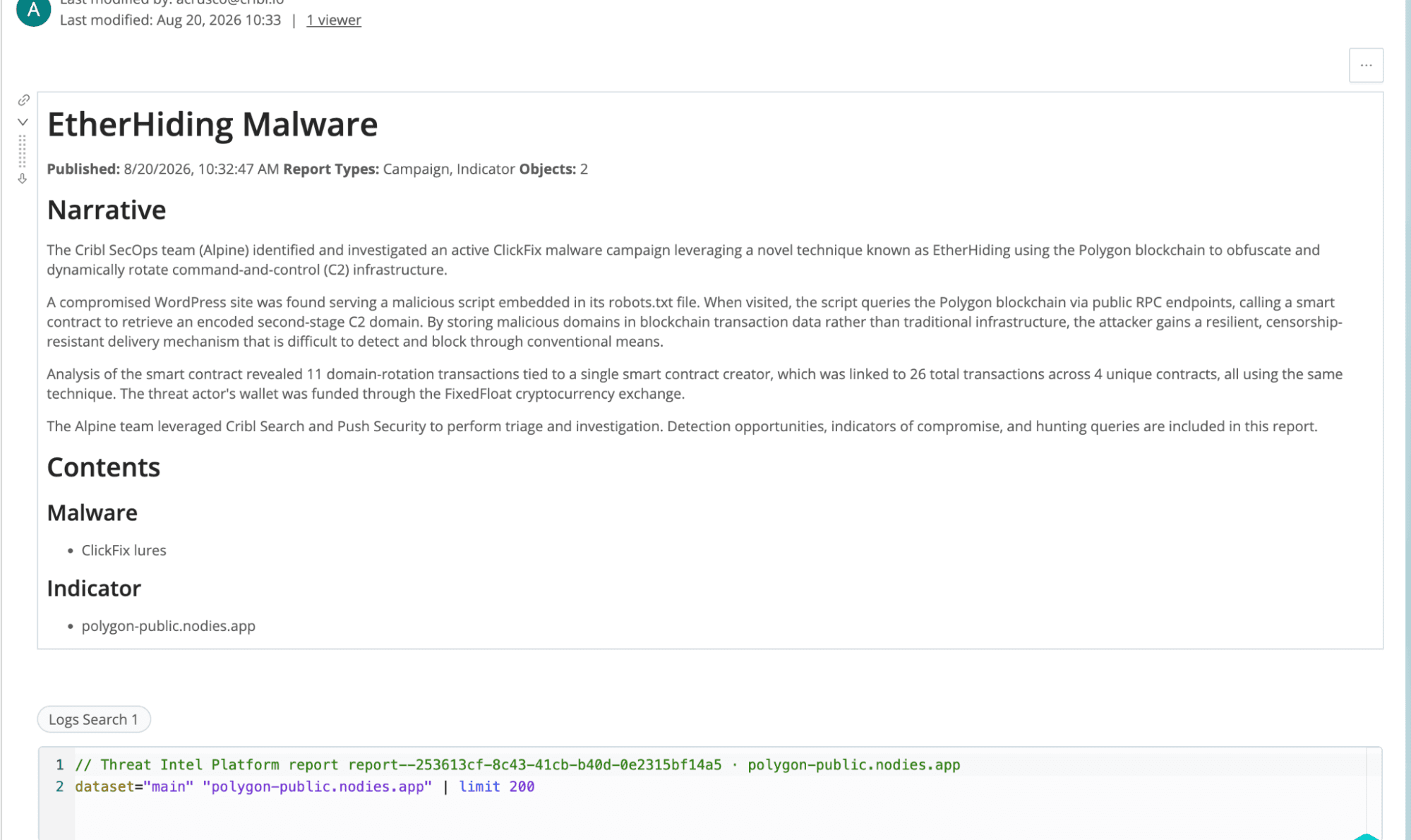
You can also save a report to a notebook and carry it into a hunt, like the below.
What changed for us
Before the app framework, our workflow looked like this:
Receive intel (feed sync, advisory email, Slack share)
Read it, extract indicators manually
Search for them in our SIEM
If found, open an incident
If not found, consider adding to a blocklist
Forget about the intel because the next intel already dropped
Now:
Intel arrives in the knowledge base automatically via feeds, or by import for bundles and manual entry
Morning triage: review the uncurated queue, promote or dismiss
Hunt: the workbench enriches and queries against live data
Curate: confirmed indicators sync to lookups immediately
Assess: posture reviews track coverage against our priority intelligence requirements
What changed is completion, not sophistication. We finish the intelligence cycle now, because every step happens in one place and the final step is a button click instead of a project.
The lookup table as operational primitive
The architectural insight was that Cribl's lookup tables are the right operational primitive for threat intelligence.
A lookup table in Cribl is a live enrichment surface that pipelines query on every event, not a static reference file. When the app framework syncs curated indicators to a lookup, those indicators immediately start participating in real-time enrichment. An IP we curated this morning is enriching, flagging, or filtering events flowing through Stream this afternoon.
That's what operationalized intelligence means in practice. The indicator is doing work in the pipeline right now, without anyone remembering to check for it. Compare that to "we have it in a database somewhere" or "we exported it to a CSV last week."
IOCs have a shelf life, and when one expires the lifecycle management in the knowledge base catches it. The posture assessment shows the coverage gap. The analyst re-validates or retires, and the lookup stays clean. No lookup rot. No stale IOCs firing false positives six months after they mattered.
What we learned
Curation matters more than ingestion. We can ingest ten thousand indicators a day from community feeds. Useless without a workflow that surfaces what's relevant to us, lets an analyst decide, and acts on the decision. The uncurated queue and lifecycle management turned out to be worth more than the feed connectors.
Context survives when it lives with the indicator. In our old workflow, an IOC in a blocklist was an IP address and nothing else. Why it was malicious, which campaign it belonged to, what TTPs the actor uses, all of that lived in someone's memory or a Slack thread. In the knowledge graph, the IOC connects to the threat actor, the campaign, the attack pattern. When you're investigating a hit, that context is one click away.
Hunt velocity compounds. Fast hunting means more hunting. More hunting means more findings, more curation, better lookups, more caught in the pipeline. It's a flywheel, and reducing friction by putting everything in one framework is what got it spinning.
Posture visibility changes behavior. Once the team could see PIR coverage, they started self-directing toward gaps without being told. Visible gaps plus a short path to close them changed how people prioritized their week.
For other Cribl customers
We built this for ourselves, but the problem isn't ours alone. If your team runs Cribl and your threat intelligence workflow involves exporting IOCs from one system and importing them into another, or copying indicators between browser tabs mid-investigation, this is the gap we closed.
It isn't a replacement for a commercial TIP yet, particularly if you need deep integration with ticketing, orchestration, or SOAR workflows. It solves one specific problem: getting intelligence from "known" to "acting on it" inside the Cribl ecosystem, without the export-import gap that kills most intelligence programs. We're still evolving the app as we use it more in our daily threat intelligence work.
Your data is already in Cribl. Your lookups are already in Cribl. Your queries are already in Cribl. The intelligence workflow was the missing piece. Now it's there too.