
Modern organizations are generating more logs, metrics, traces, and security events than ever. The challenge is no longer simply collecting that data. It is making sure the right data reaches the right platform, in the right shape, at the right time and remains useful as volume, teams, and analytical demands grow.
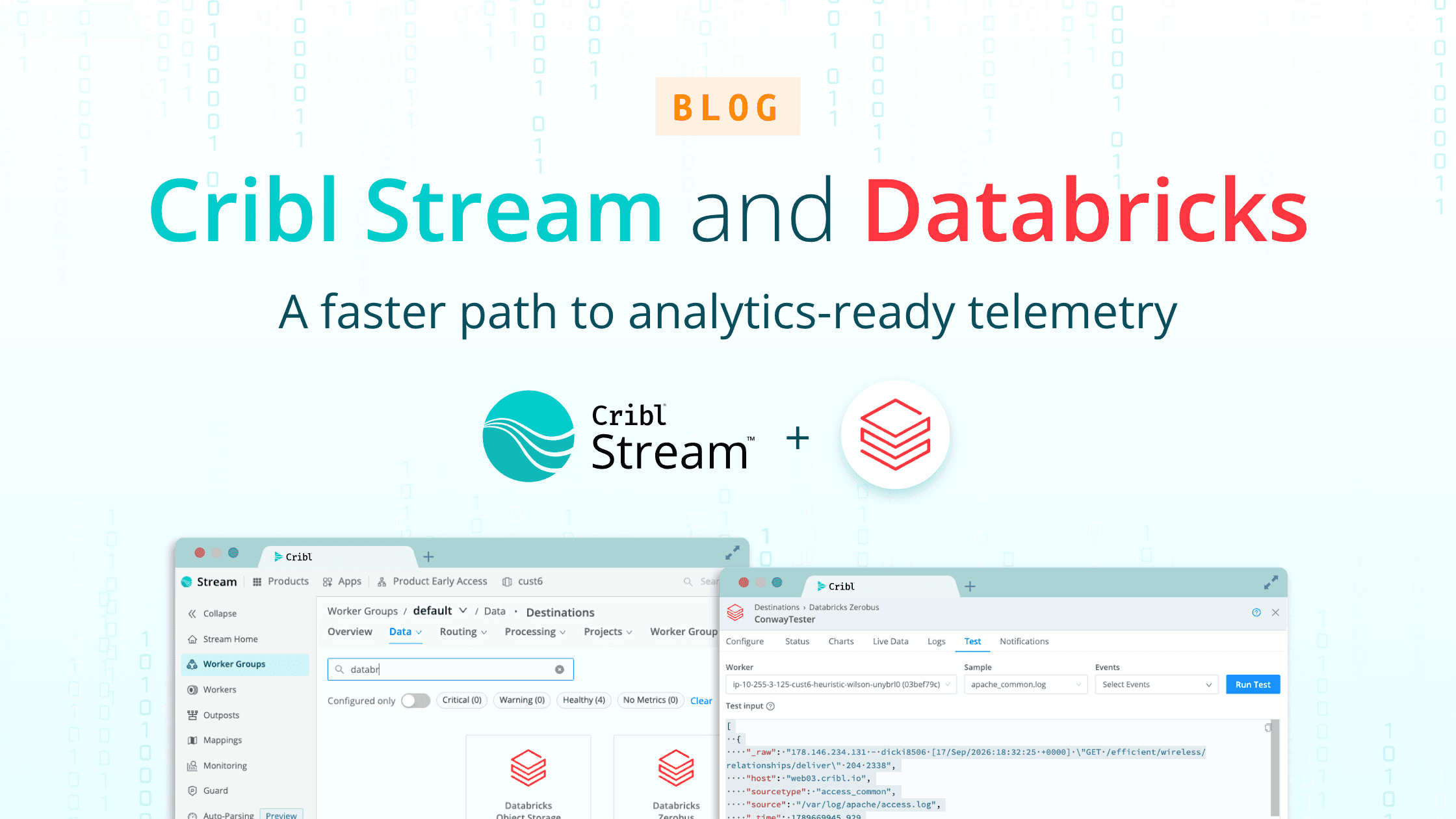
That is why we are excited to introduce the Databricks Zerobus Destination for Cribl Stream. With this new integration, customers can route events from Cribl Stream directly into Databricks Delta Tables through Databricks Zerobus Ingest, without first landing files in an intermediate object-storage pipeline.
The result is a more direct path from telemetry to analytics: collect, shape, govern, and deliver data with Cribl Stream, then use Databricks to analyze it alongside the rest of the organization’s data and AI workloads.
Cribl and Databricks: complementary strengths for a data-intensive world
Cribl Stream is built to collect, reduce, enrich, transform, and route telemetry from any source to any destination. It gives IT, security, and platform teams control over the volume, format, and destination of data before it reaches downstream tools. Learn more about Cribl Stream.
Databricks provides a unified Data + AI Platform for data engineering, analytics, machine learning, and AI. Its lakehouse architecture brings together the flexibility of a data lake with the reliability and governance needed for enterprise workloads, while Delta Lake and Unity Catalog provide the foundation for trusted, governed data. Learn more about the Databricks Data + AI Platform.
Together, Cribl and Databricks address two sides of the same customer challenge:
Cribl helps determine what data is valuable, how it should be shaped, and where it should go.
Databricks helps organizations store, govern, query, and use that data for analytics, security, machine learning, and AI.
The shared goal is simple: help customers get more value from their data without giving up choice, control, or flexibility.
A more direct path into Delta Tables
Historically, customers routing data from Cribl Stream to Databricks often needed an intermediate handoff: write files to S3 or Blob storage, then operate Auto Loader, ETL, or custom ingestion jobs to move that data into Delta.
That approach can work, but it introduces additional infrastructure and operational responsibilities. It can also add delay between the time an event leaves Stream and the time it becomes available for analysis in Databricks. When a handoff fails, teams may need to troubleshoot across multiple systems to determine whether the problem occurred in the pipeline, object storage, or the downstream ingestion process.
Databricks Zerobus Ingest is designed to write data directly into Unity Catalog Delta Tables. It supports high-throughput streaming interfaces, including gRPC, and Databricks manages the Delta file layout and durability semantics. Read the Databricks Zerobus Ingest documentation.
The new Cribl destination puts that capability into the Stream workflow. Customers can configure a target workspace and catalog.schema.table, authenticate with a Databricks service principal, and route events through their existing Cribl pipelines.
What the new integration means for customers
Fewer systems to operate
The direct path removes the need for an intermediate object-storage bucket and a separate ingestion job for this use case. Customers can reduce the number of components involved in getting telemetry into Delta and spend less time maintaining custom plumbing.
Lower latency from event to insight
Instead of waiting for files to be written and picked up by a second process, events can move directly from Stream to the target Delta Table through Zerobus Ingest. That shortens the path between collection and analysis—an important advantage for security investigations, operational troubleshooting, and near-real-time analytics.
Better visibility into delivery
The destination brings delivery health into the Cribl operating experience. Teams can use connection testing and destination metrics to understand throughput, errors, and insertion latency, while actionable failures help operators identify authentication, permission, schema, or service issues more quickly.
Data shaped before it lands
Cribl Stream remains the control point for data preparation. Teams can filter noise, transform fields, enrich events, normalize schemas, and route different data to different destinations before writing to Delta. This helps customers manage cost and preserve the context their downstream analytics require.
A foundation for high-volume workloads
The initial integration uses Databricks Zerobus Ingest over gRPC with JSON records, with batching and flush controls to help customers tune delivery for their workload. The destination is designed for the scale and velocity of enterprise telemetry, while keeping the configuration experience familiar to Stream users.
Built around governed access
The integration uses Databricks service-principal authentication and targets a specific Unity Catalog table. Before sending data, customers create or identify the destination table and grant the service principal the required catalog, schema, and table permissions.
That model helps align data movement with the governance already established in Databricks. The table schema is also an important contract: customers should plan schema changes deliberately and ensure that the events routed from Stream match the target table. Databricks documents a rescue-column pattern for capturing fields that do not fit the target schema rather than rejecting them outright.
This is a practical division of responsibility. Cribl governs the data in motion; Databricks governs the data once it reaches the lakehouse.
Shared customer goals: choice, control, and faster outcomes
The Cribl and Databricks integration is not about forcing customers into a single data architecture. It is about making an existing architecture easier to operate and more valuable.
Customers want to:
Keep control of their data flows and apply policy before data is stored.
Reduce unnecessary volume and avoid paying to process or retain data that does not create value.
Use open, governed data structures that support analytics, security, machine learning, and AI.
Minimize custom infrastructure and the failure points that come with it.
Move from telemetry to trusted insight with less delay.
Preserve flexibility as tools, workloads, and analytical requirements change.
Cribl Stream and Databricks meet those goals from complementary positions. Cribl provides the pipeline control plane for telemetry. Databricks provides the governed data and AI platform where teams can put that telemetry to work.
Getting started
To use the Databricks Zerobus Destination, customers need access to Cribl Stream, a Databricks workspace, a Unity Catalog Delta Table, and a service principal with the appropriate permissions. In Stream, administrators configure the workspace connection, Zerobus endpoint, service-principal credentials, and target catalog.schema.table, then validate the connection before routing production data.
For implementation details, review the Cribl Stream product information and the Databricks Zerobus Ingest documentation.
Step 1: Create Table in Databricks
Log into the Databricks Workspace.
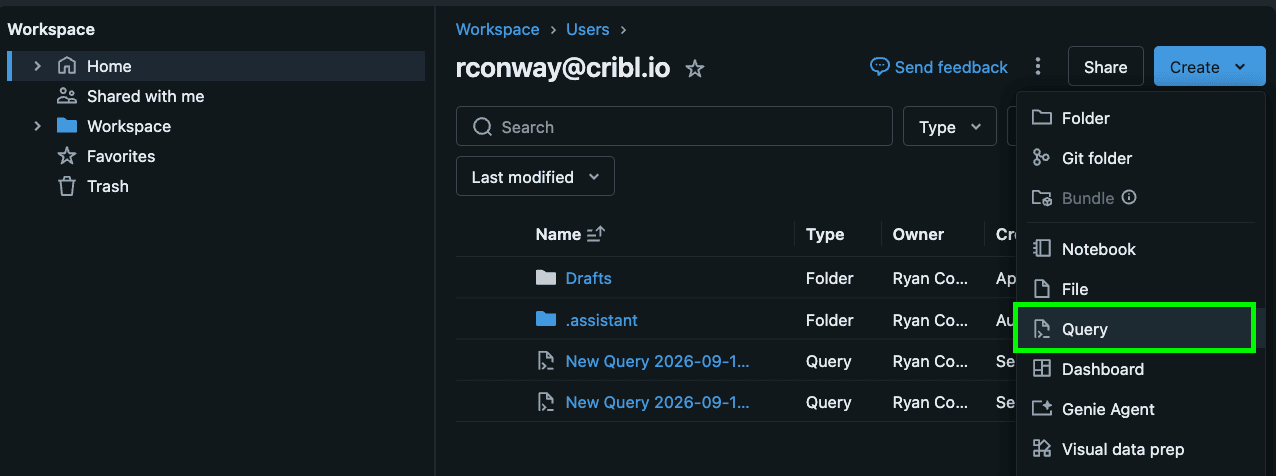
Select “Create” then “Query” from the dropdown.
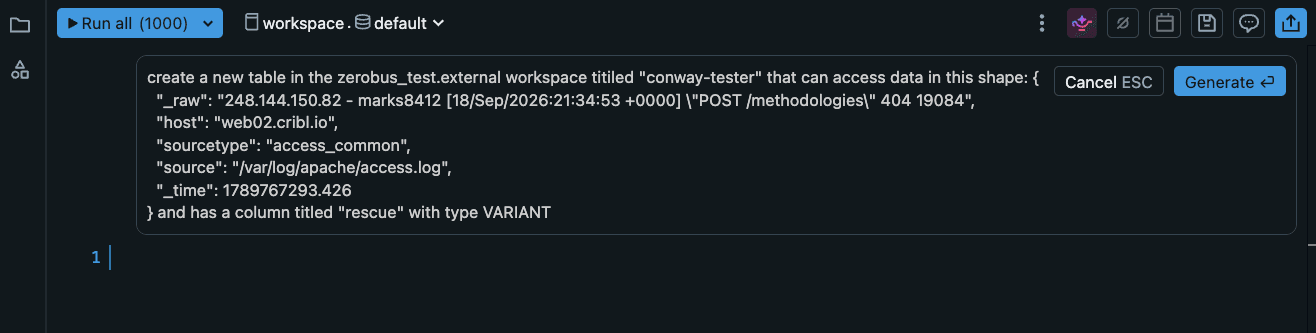
From the Query line, select the Genie “Generate” button.
Prompt the Genie to create a new table within your workspace. You can also paste a sample of the data you’d like to add to the table to have Genie format your schema. An example prompt could look like:
create a new table in the <WORKSPACE NAME> workspace titled “<TABLE TITLE>” that can accept data in this shape: <PASTE SAMPLE JSON>
Select “Generate”
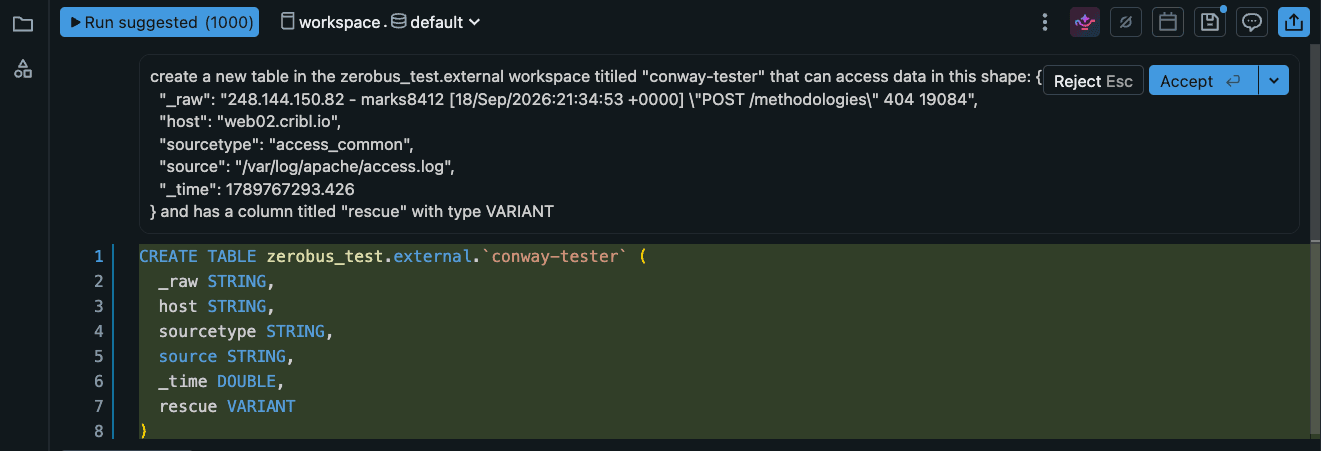
Genie will draft a query prompt. Select “Run suggested”.
Navigate to your Organization >> Workspace >> Tables to verify that the table was created.
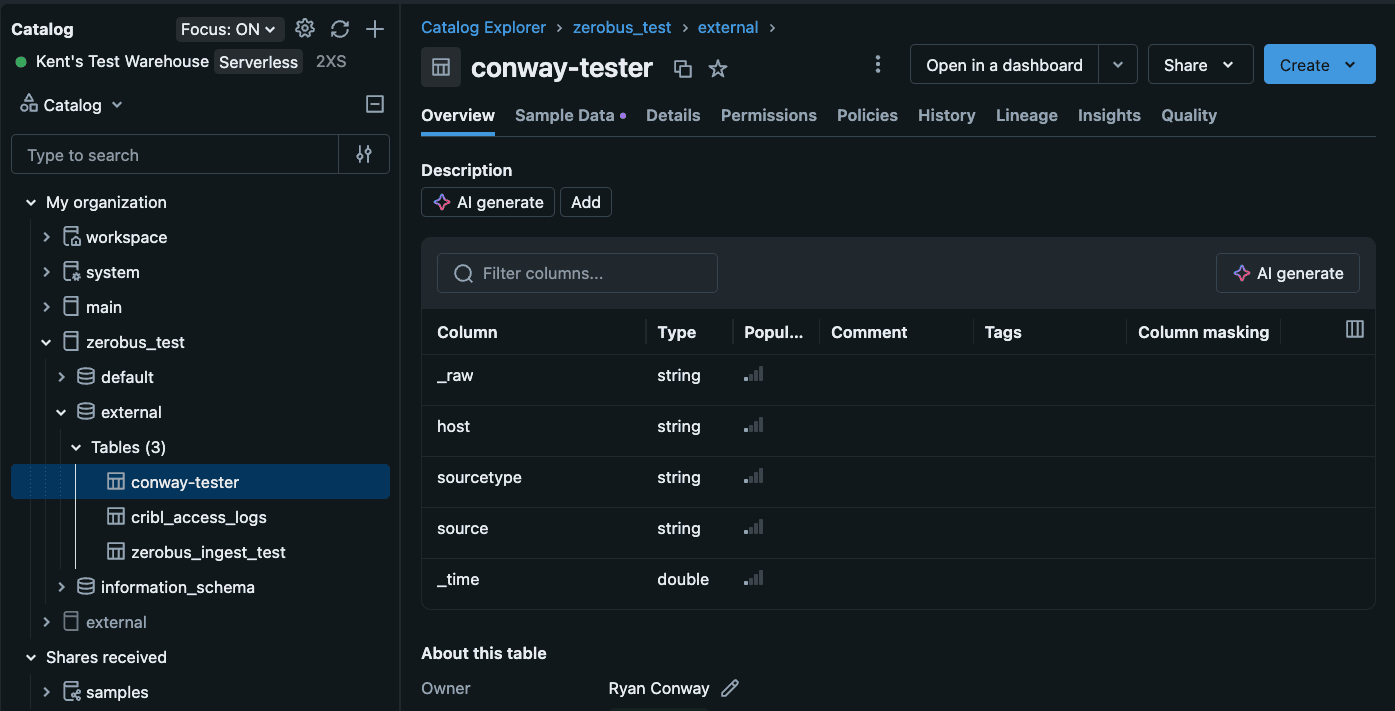
The table should be created with columns based on the schema.
Step 2: Configure the Databricks Zerobus Destination in Cribl Stream
Log into Cribl and navigate to Stream and your worker group.
Go to Data >> Destinations.
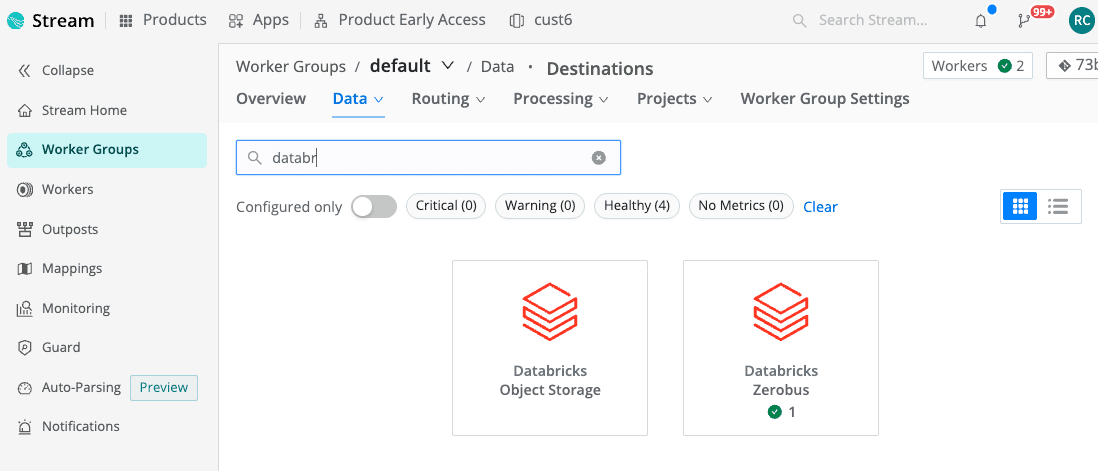
Scroll or search for the Databricks Zerobus integration.
Select “Add Destination”
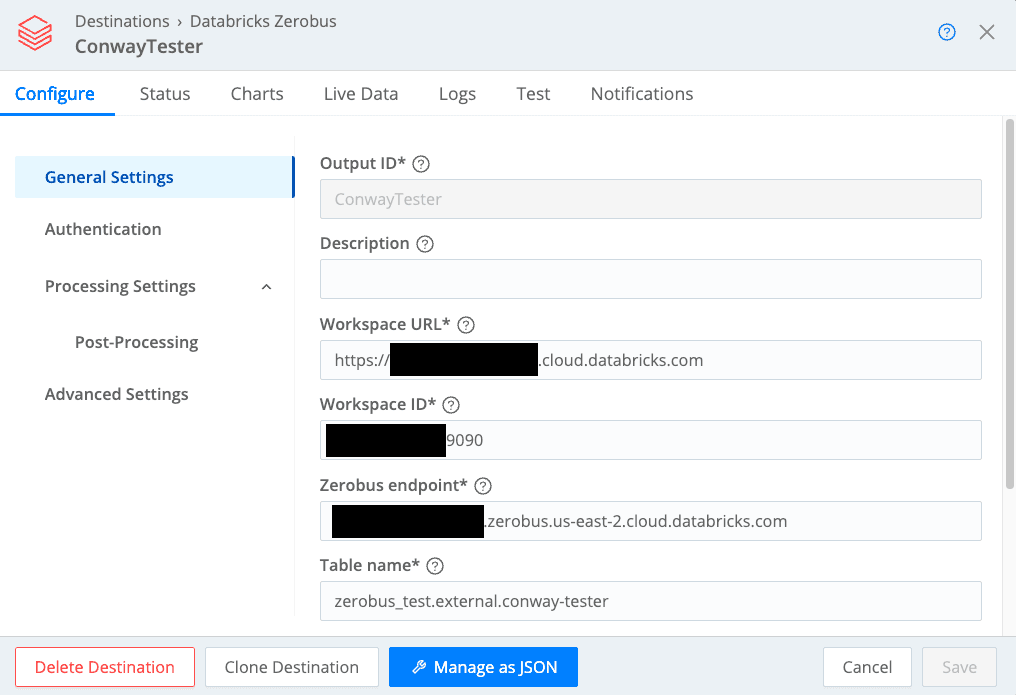
Enter the required information:
Output ID
Workspace URL
Workspace ID
Zerobus endpoint
Table name
Select Authentication from the Configuration side menu.
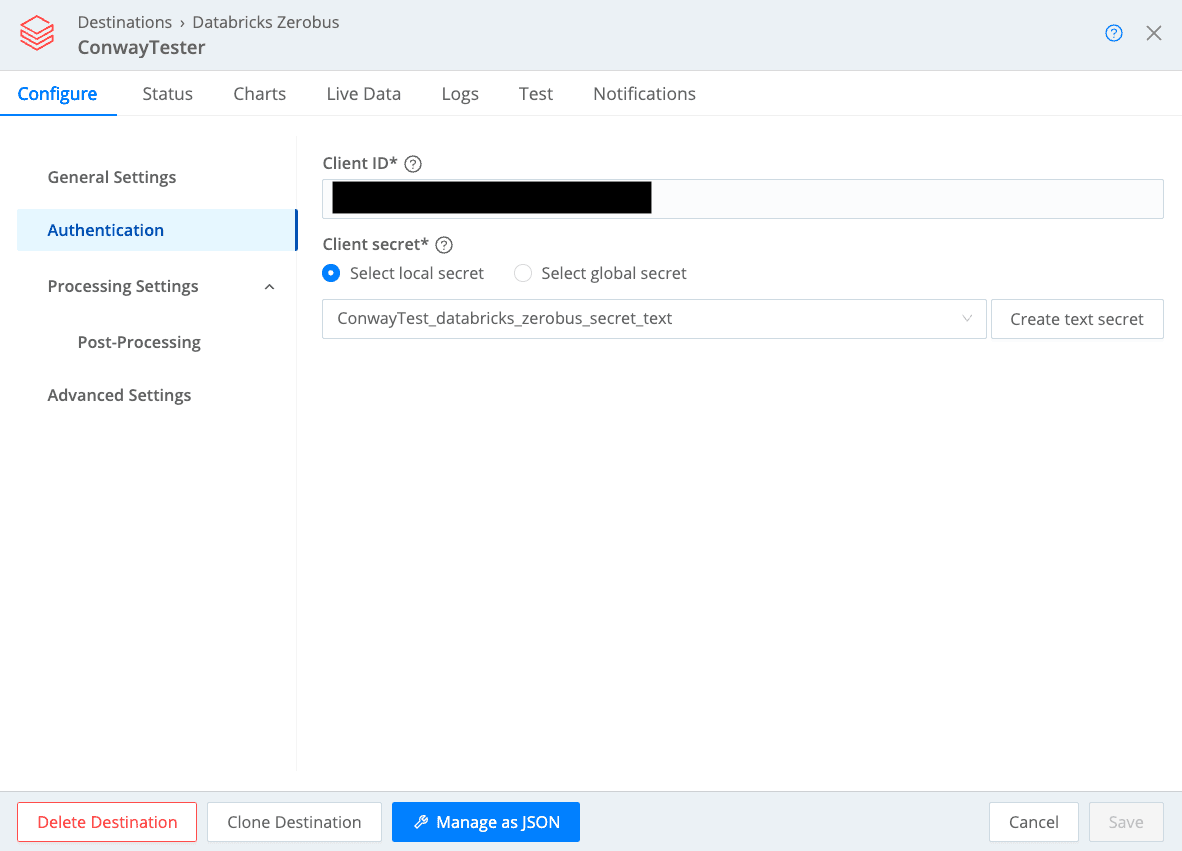
Enter your Client ID and Secret. You may save the secret in Cribl by selecting “Create text secret”.
Client IDs and Secrets are added/managed in the Databricks Workspace >> User Management >> Service Principals sections.
Details on service principals and permissions are referenced here.
Click Save.
Commit and Deploy.
The Cribl Stream Databricks Zerobus destination is now configured.
Step 3: Validate data flow from Cribl to Databricks
Within the configured Cribl Stream Databricks Zerobus Destination, navigate to the “Test” tab. Paste a sample of your data in the “Test input” window and select “Run Test”.
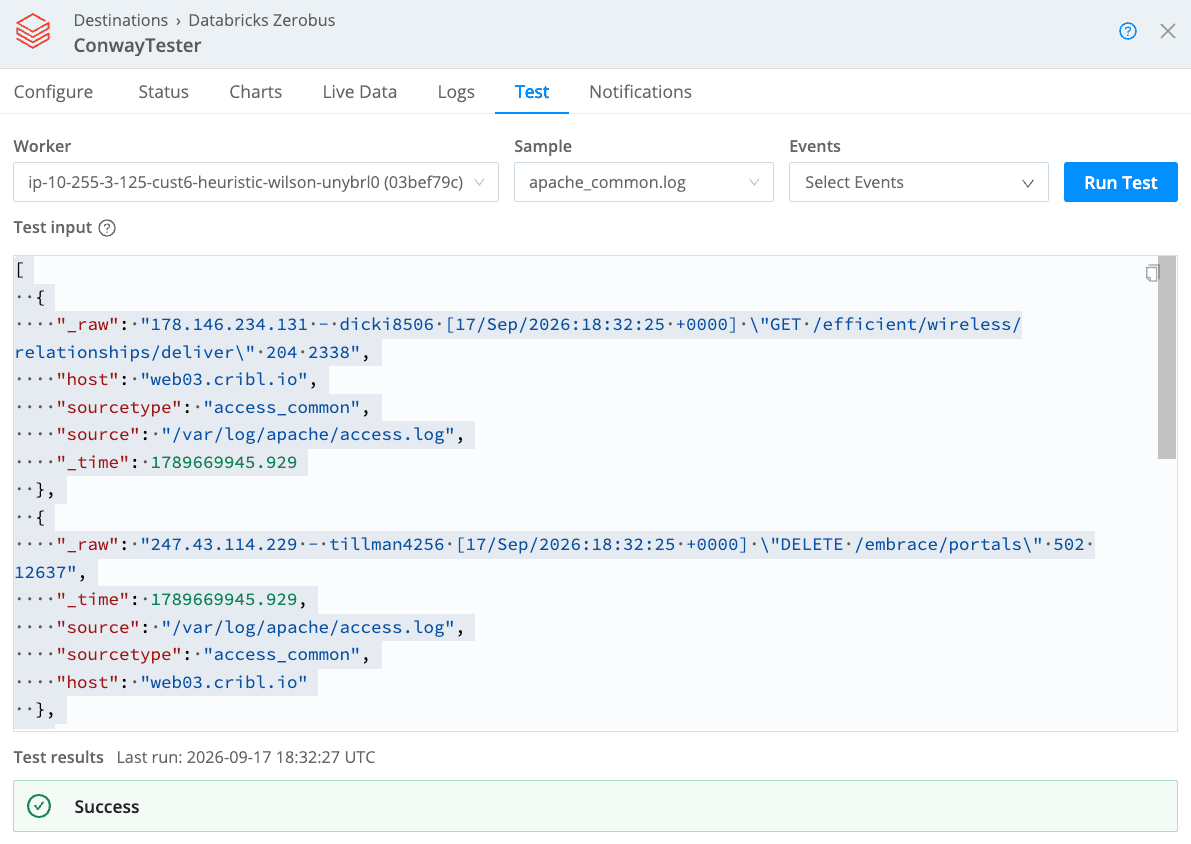
Alternatively, you can connect your Cribl Stream source with the Databricks Zerobus destination and confirm data flow within the Databricks platform.
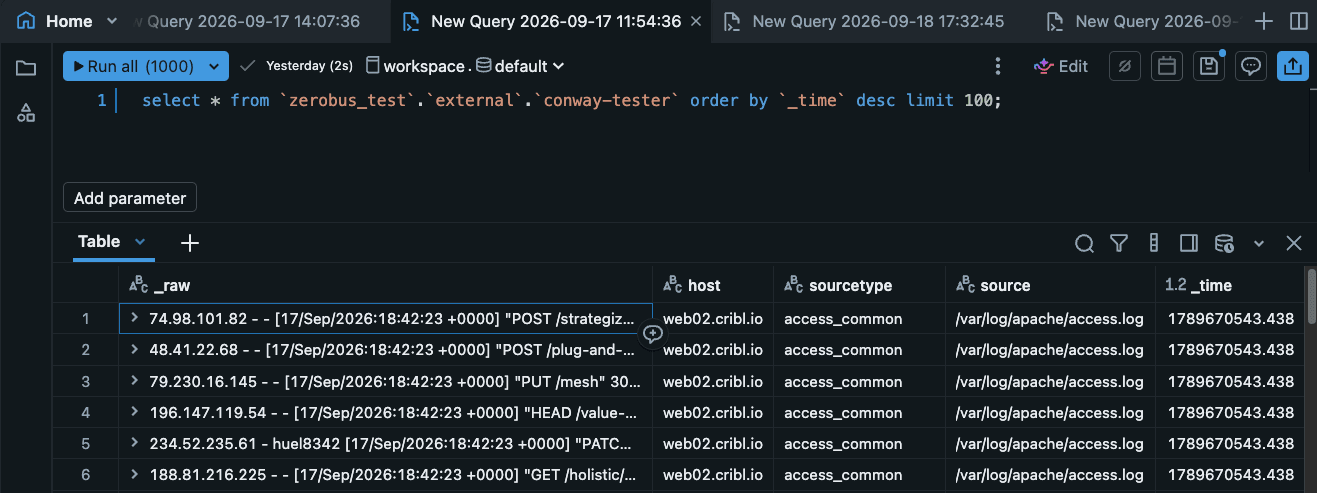
Navigate to the query prompt and explore your table.
The bottom line: make every event more useful
Data creates value when teams can trust it, govern it, and use it where it matters. The Databricks Zerobus Destination for Cribl Stream gives customers a simpler way to move analytics-ready telemetry directly into Delta Tables while retaining the control to shape, reduce, enrich, and route data before it arrives.
Cribl and Databricks share a vision for helping organizations turn growing data volumes into an advantage. With a more direct path from telemetry to Delta, customers can spend less time maintaining ingestion plumbing and more time using their data to improve security, operations, analytics, and AI.