
Handling massive volumes of data from multiple sources is becoming more costly and more complex. Traditional data processing systems rarely fit the budget, and telemetry is growing at roughly 28% annually, according to IDC (2023). Your wallet can't expand forever. The incoming data is the signal your IT and Security teams use.
Data lakes are increasingly common. A data lake lets you store any amount of data as it flows and tier that data: high-value events go to your analytics system, lower-value events go to retention. Everything stays accessible. Multicloud increases the case for data lake solutions. According to Flexera's 2024 State of the Cloud Report, 89% of organizations have a multicloud strategy, and a data lake in each cloud avoids costly cross-cloud egress. Moving data is expensive.
You might think you'll have to move data out of your data lakes. You do not necessarily need to. You can search your data without moving it out of the data lake, skip indexing it in your analysis system to cut licensing costs, and run a single query that spans multiple data lakes and datasets.
Cribl Search combines federated, centralized search with decentralized data storage to provide a search-in-place option among today's federated search tools.
Why run federated searches across cloud data lakes?
Cloud-based federated searches let you investigate data across every provider from one place, with one query language, and without moving data. Why this matters:
Investigate faster across providers. Query the same data type, like flow logs, across all three major clouds at once.
Ensure conformance across data lakes. Confirm every lake follows the same standard by running conformance-based searches with Cribl Search.
Give more users access to data. Infrequent or ad hoc users can search through Cribl Search without creating downstream licensing costs or cloud egress fees.
Analyze historical data before replaying it. Instead of rehydrating everything for a time window, find the relevant data first, then replay only what matters.
Let's connect your data lakes and start searching.
How do you connect Amazon S3 to Cribl Search?
First, Amazon S3. You can authenticate with an access key and secret key combination, or by assuming a role within your organization's account. This walkthrough covers the second option, AssumeRole.
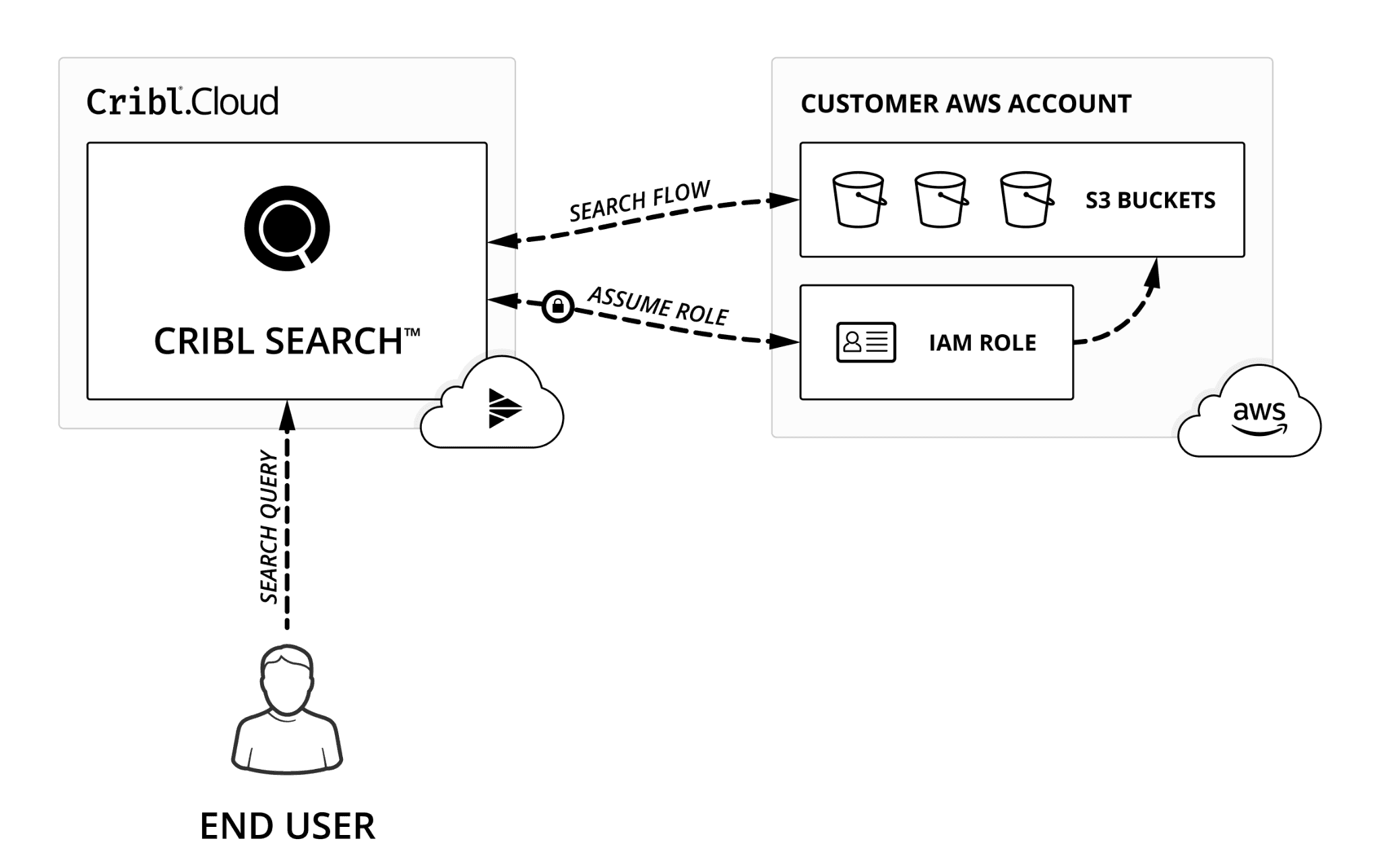
Cribl Search, hosted in Cribl.Cloud, uses your AWS AssumeRole permissions to access your S3 resources. The Cribl Search Compute assumes a role in your AWS account, allowed by your account's Trust Policy. Using those credentials, Cribl Search Compute can access only the resources your resource and permission policies allow.
Set up two items in your AWS account. You will find both the Trust and Permission policies inside Cribl Search under Dataset Providers. Follow these steps:
Paste in the Trust Policy you copied in Step #3 from Cribl Search Dataset provider. You will need to update the ExternalId field in your Trust Policy if you are using one.
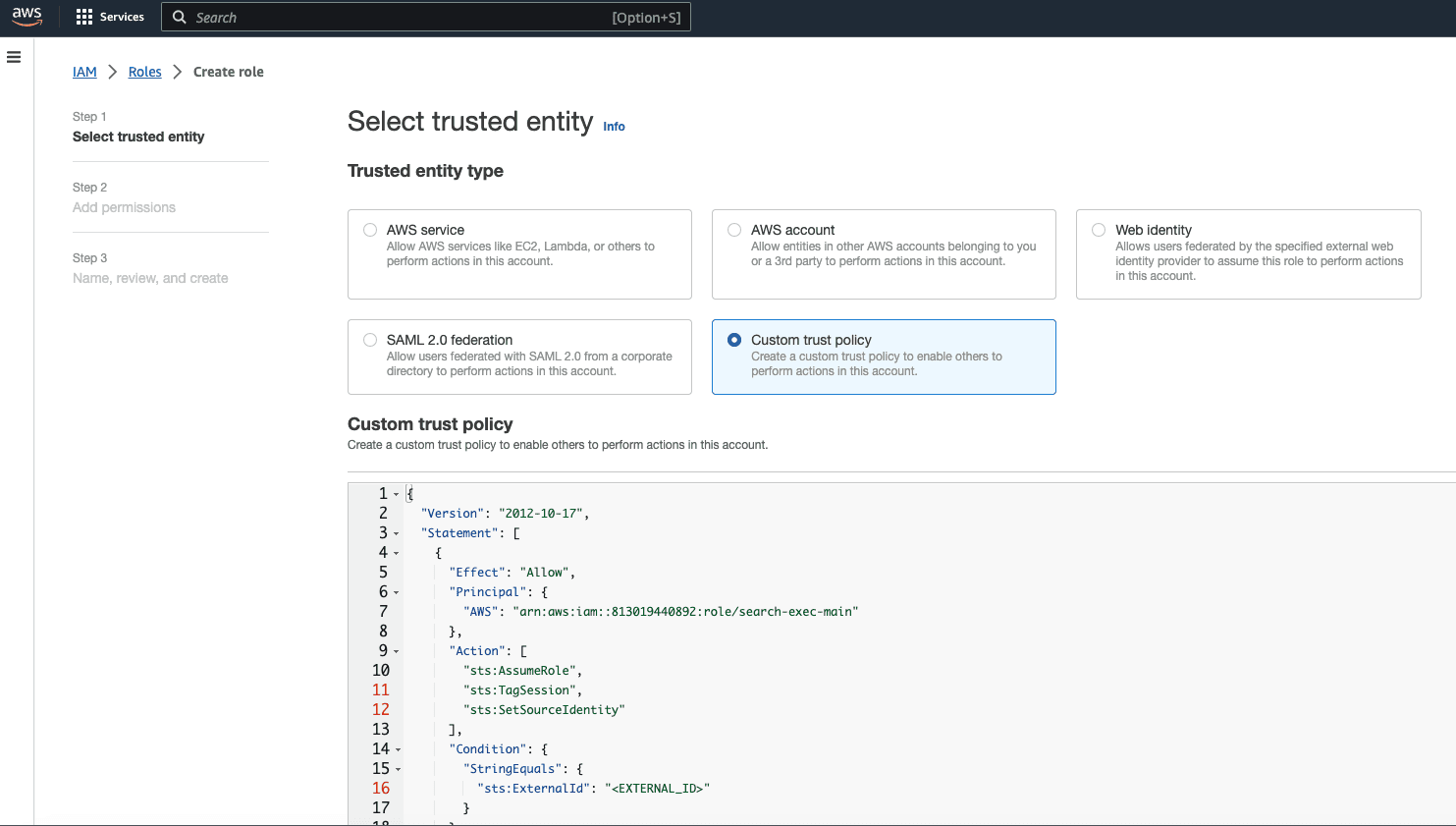
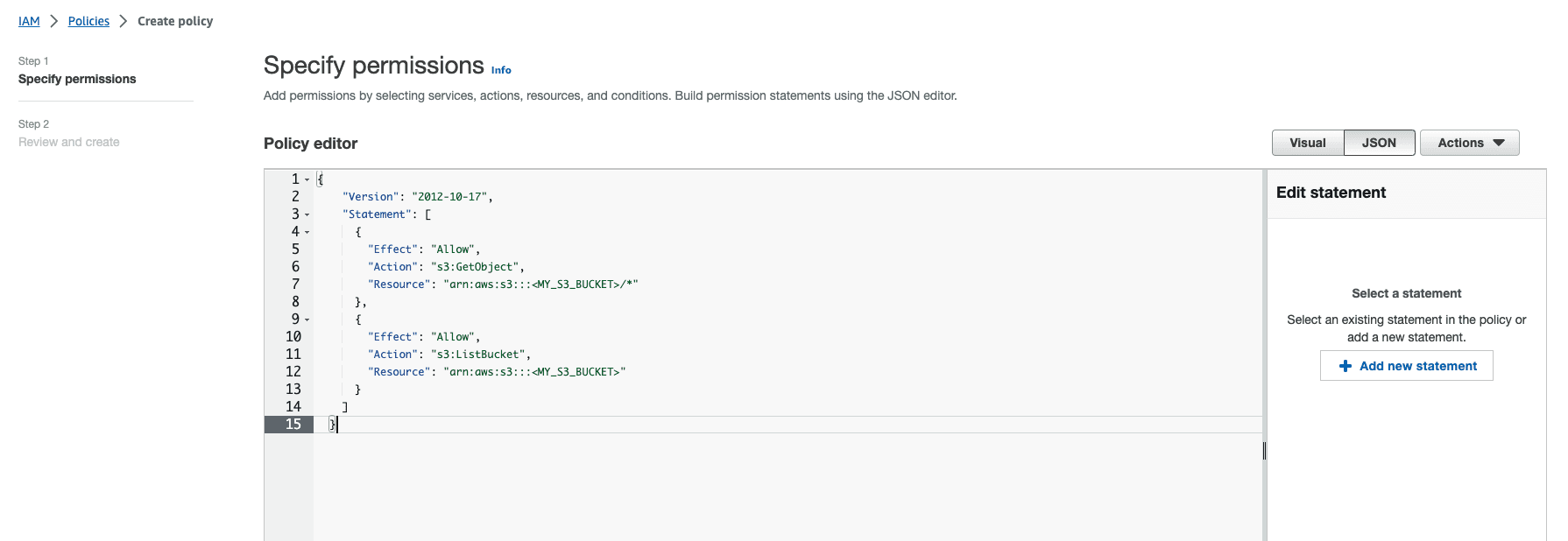
In the AWS console, under Step 2 of the Role Creation wizard, you can add the Permissions policy copied from Step #3 here to allow access to the S3 bucket you plan to search in the AWS console. You will need to update the “Resource” in the policy itself to reflect the name of your bucket.
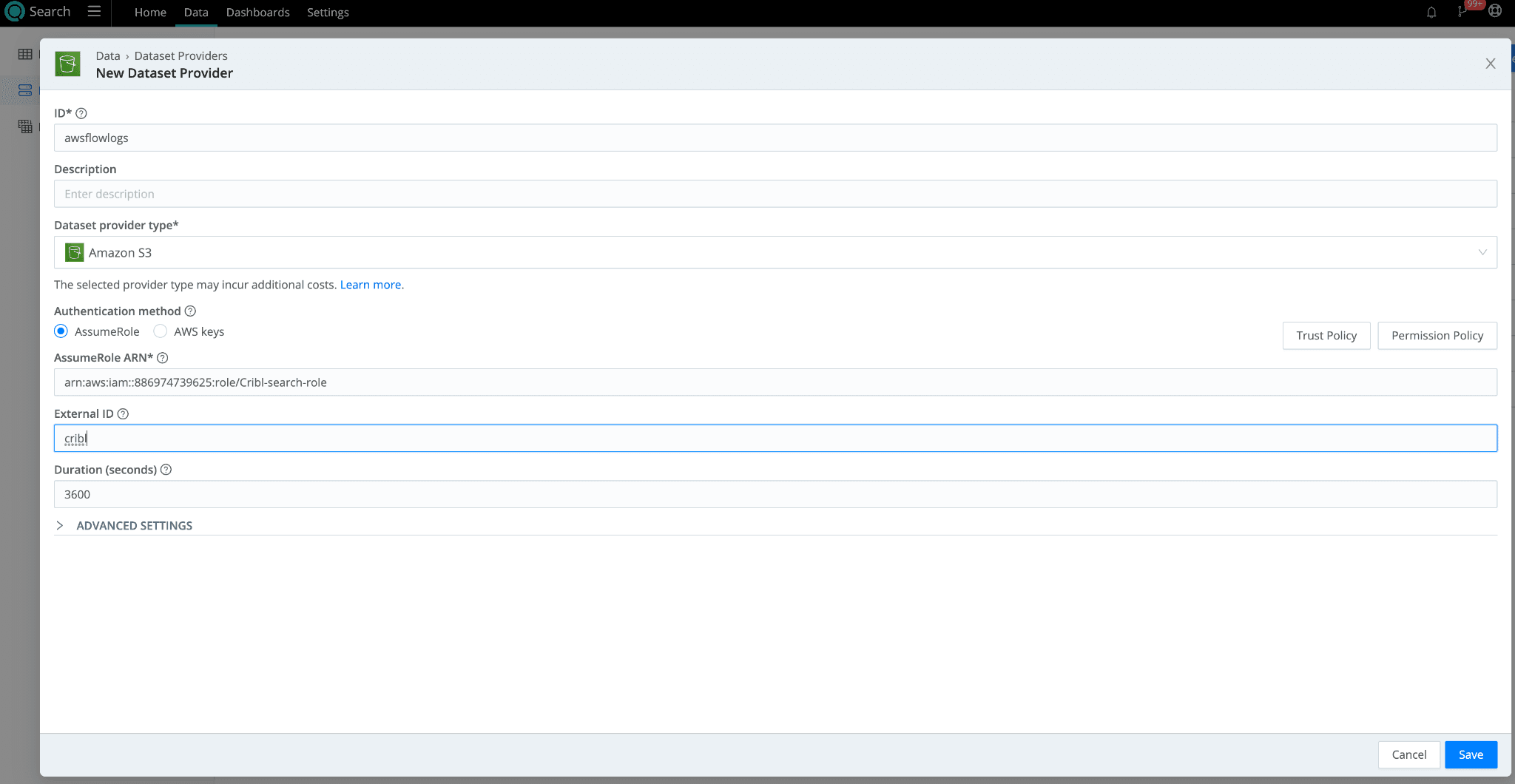
When the role is created in the AWS console, copy the ARN and use it in the Cribl Search Dataset provider set up page for S3. Include any ExternalId you used in your Trust Policy. Click Save.
In Cribl Search, navigate to Data > Datasets > Add Dataset. Set the Dataset Provider to the Amazon S3 dataset provider (its ID) you created in the earlier step. Specify the bucket prefixes to populate the Bucket path. If you want to tokenize parts of that prefix, you can use the following syntax:
"mybucket/${fieldA}/${fieldB}"
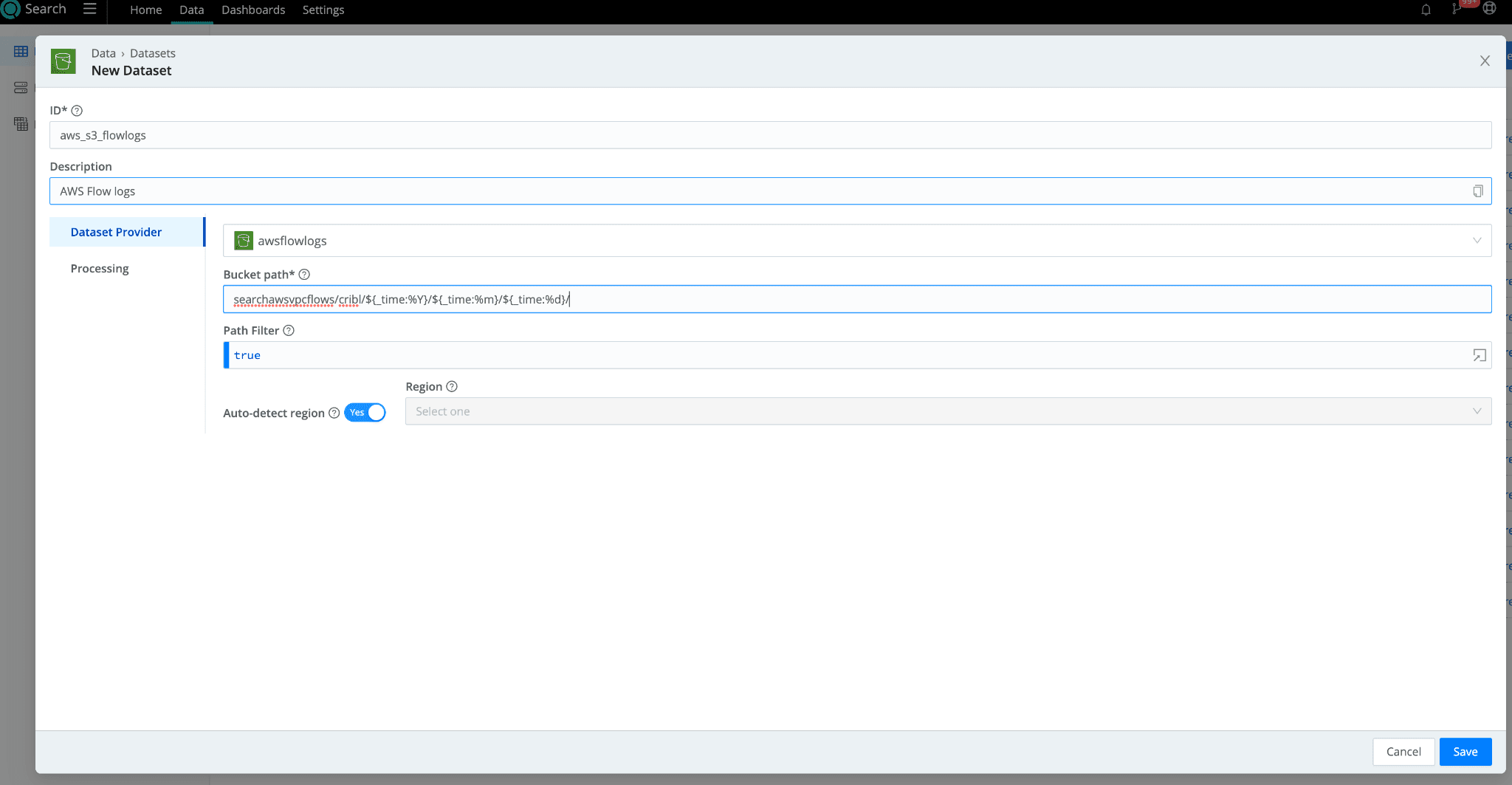
Under “Processing”, add any Datatype Rulesets to make searching your data easier and fields referenceable in your search queries.
Connect Google Cloud Storage (GCS) to Cribl Search
On to Google Cloud Storage (GCS) hosted within GCP. To access resources in your GCP account, Cribl Search uses a service account on the GCP side with service account credentials. Let’s go over your storage bucket access controls and get your service account up and running.
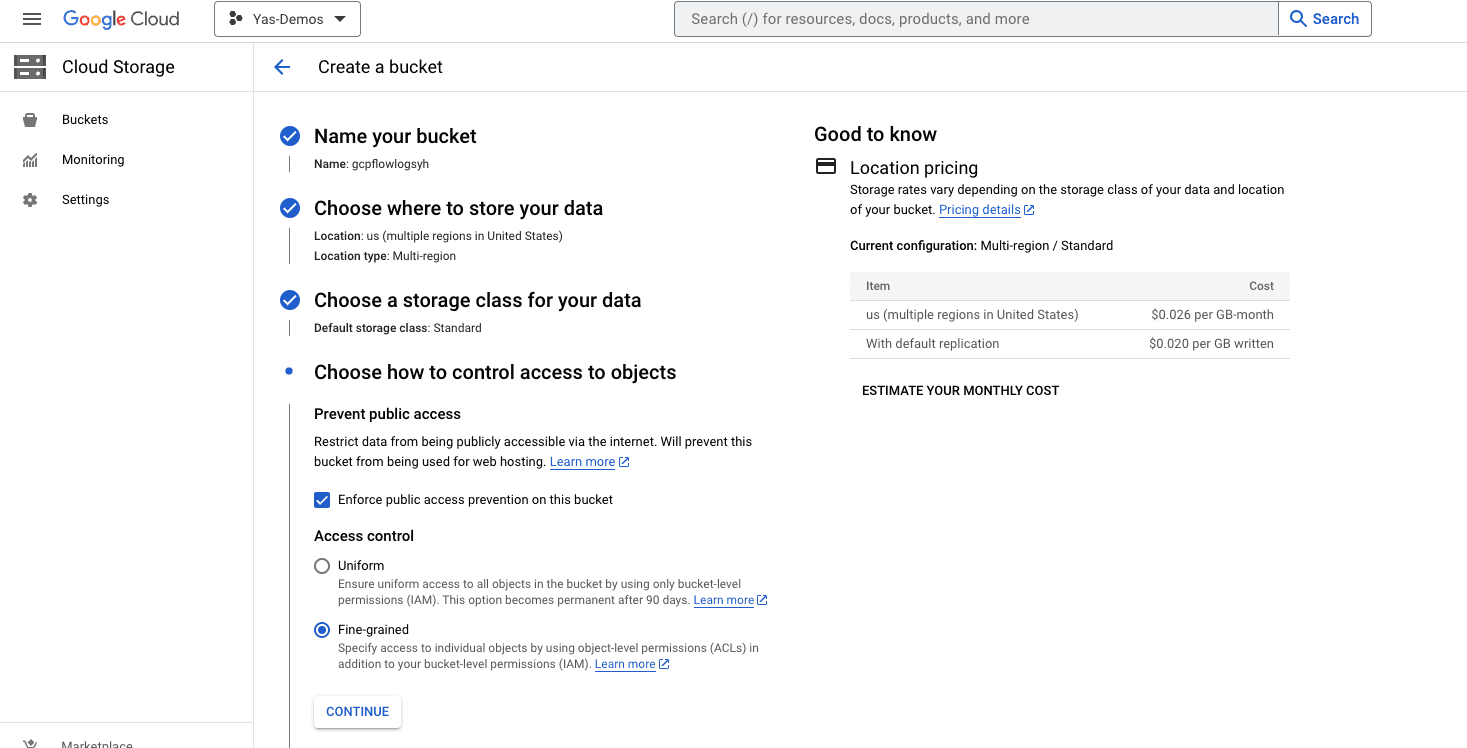
In the GCP Console, if you haven’t already created your storage bucket, go ahead and do so. When you get to “Access Controls”, make sure to select “Fine Grained” Access control. If your bucket already exists, make these modifications “Bucket Details” > “Permissions” section.
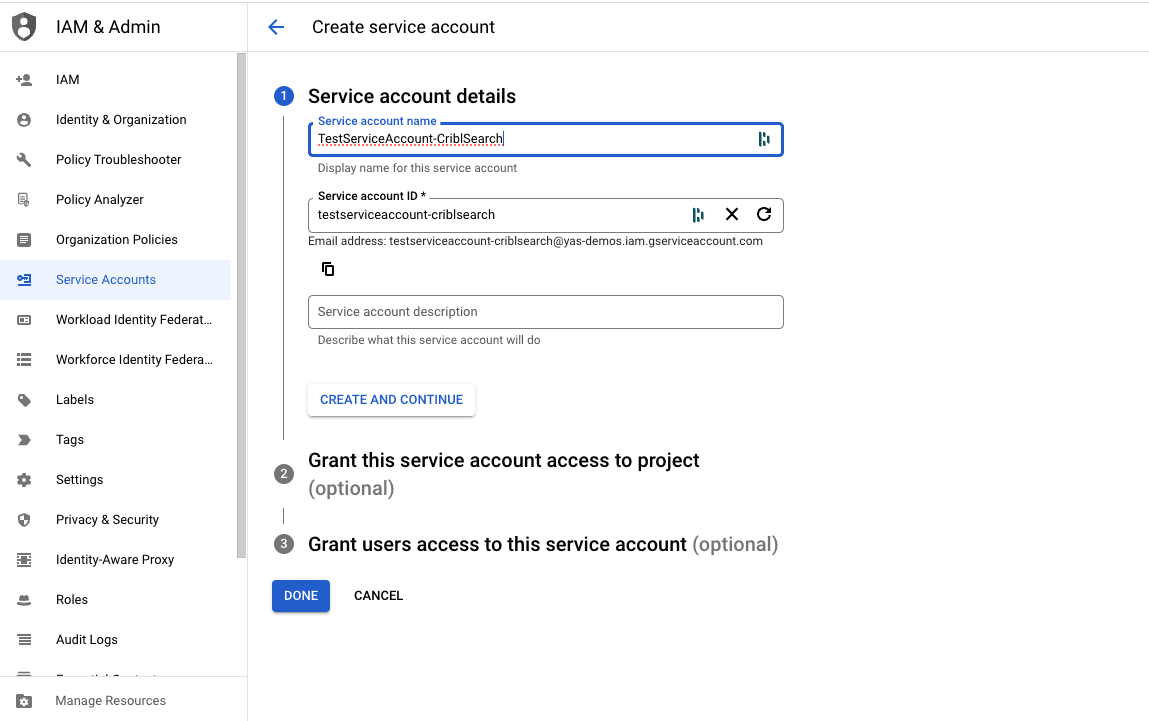
Navigate to IAM & Admin > Service Accounts > Create Service Account in the GCP Console to create a new service account for Cribl Search access. Give the account an ID.
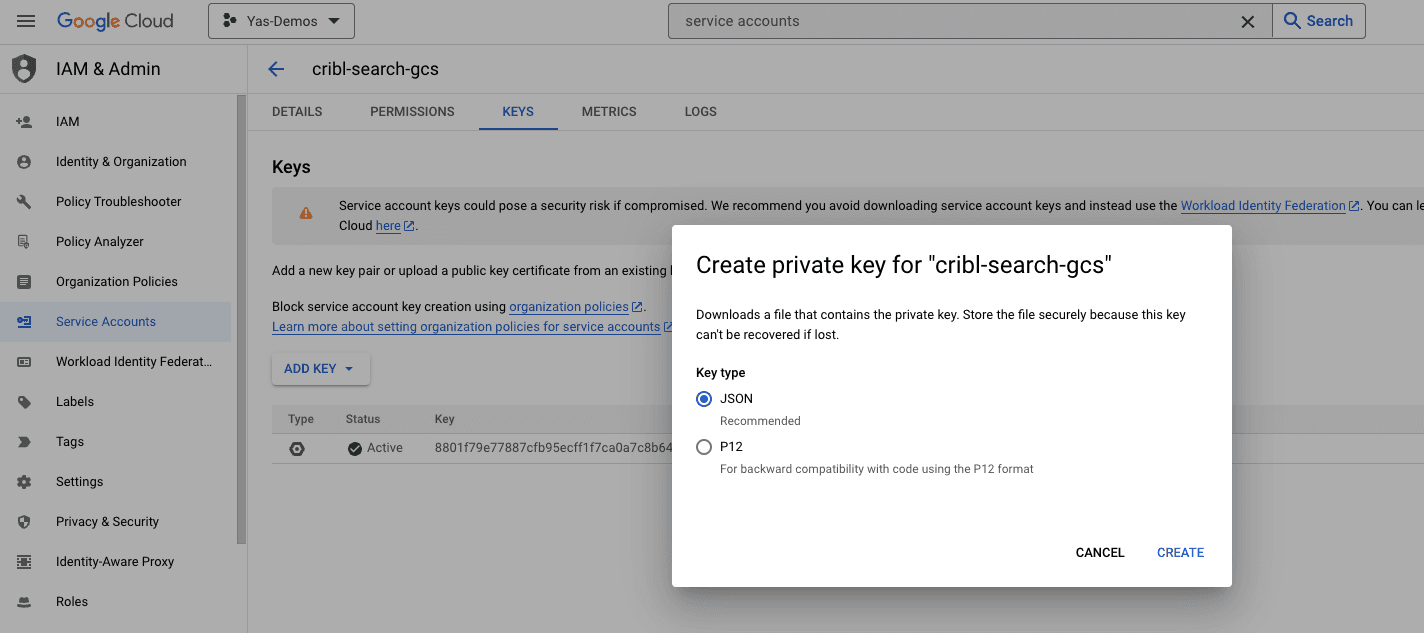
Once the service account is created, copy the address of the service account. You’ll need it in Step 4. Then navigate to the Keys tab and click Add Key > JSON to generate Service Account credentials for Cribl Search.
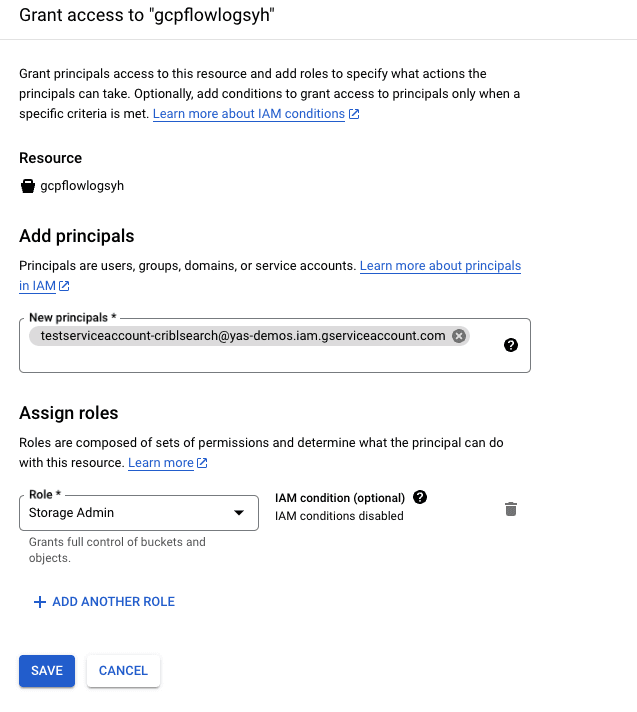
Navigate back to the bucket, on the Permissions tab, click Grant Access under the Principals section. Add the Service Account address you copied from before to the Principals field and assign it the role of Storage Admin for your bucket. Click Save.
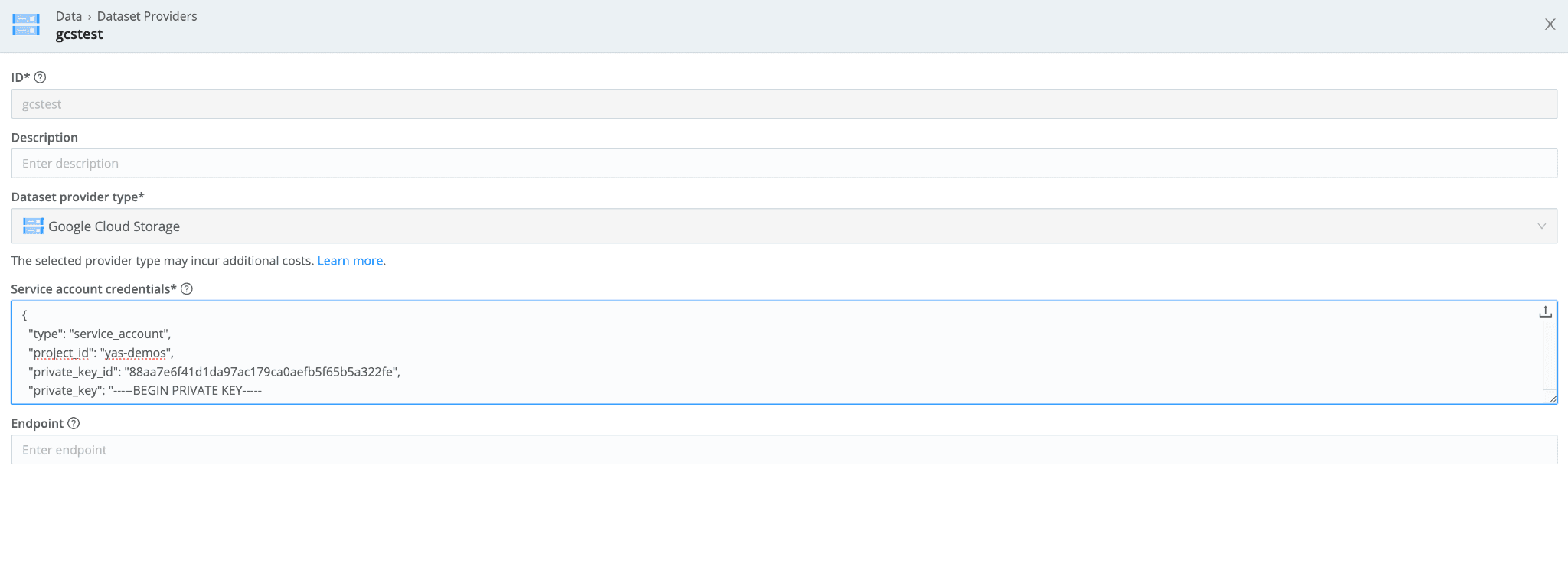
In Cribl Search, navigate to Data> Dataset Providers > Create Provider. Select Google Cloud Storage. Add the Service Account credentials you created in Step #3.
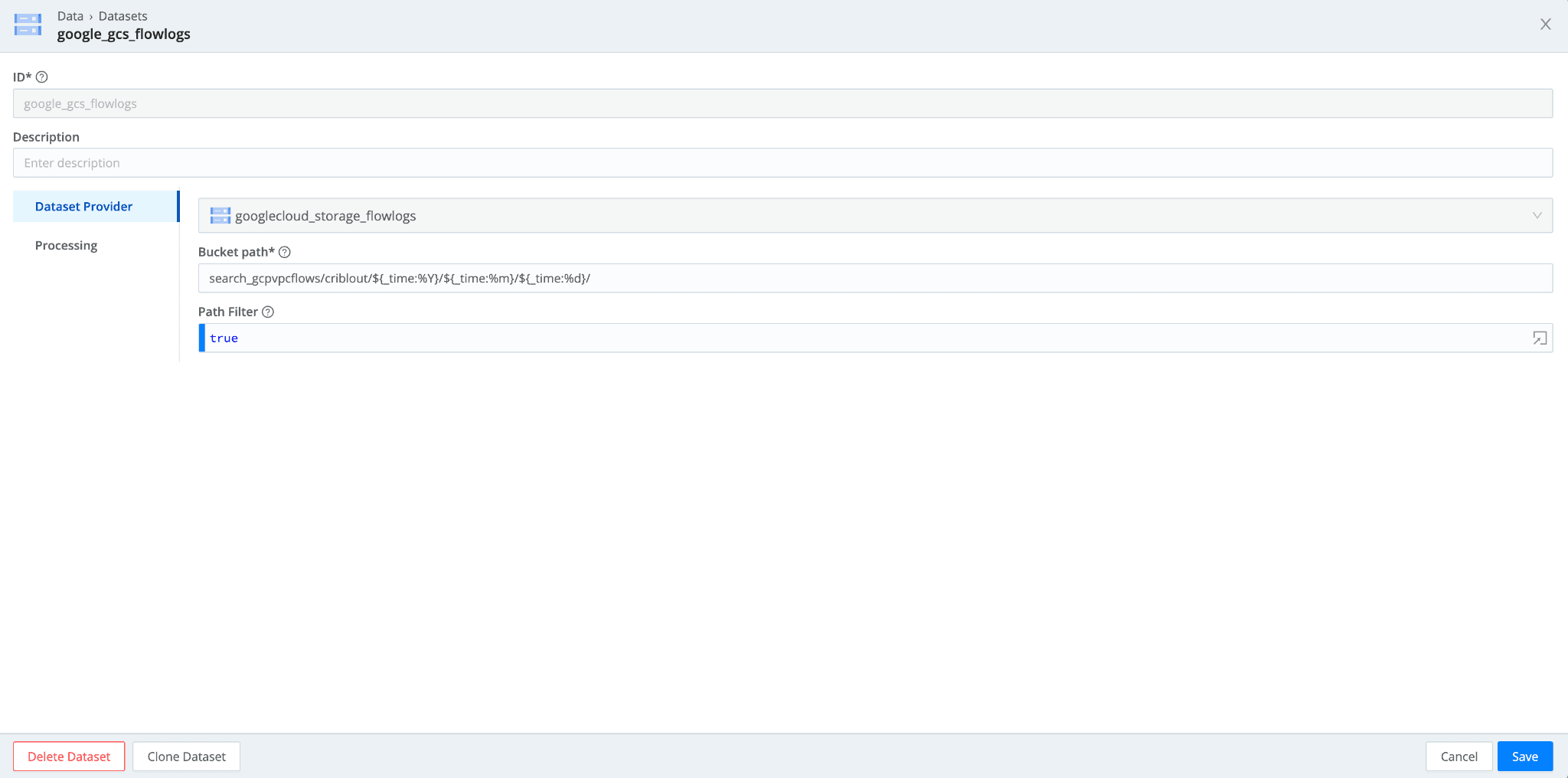
Navigate to Data > Datasets > Add Dataset. Set the Dataset Provider to the Google Cloud Storage dataset provider (its ID) you created in the earlier step. Specify the bucket prefixes to populate the path. . If you want to tokenize parts of that prefix, you can use the following syntax:
"mybucket/${fieldA}/${fieldB}"
Connect Azure Blob to Cribl Search
Finally, let’s connect Azure Blob to Cribl Search. For authentication, Azure Blob offers two options:
Shared Access Signatures (SAS)
Connection Strings.
This blog covers the second method, Connection Strings.
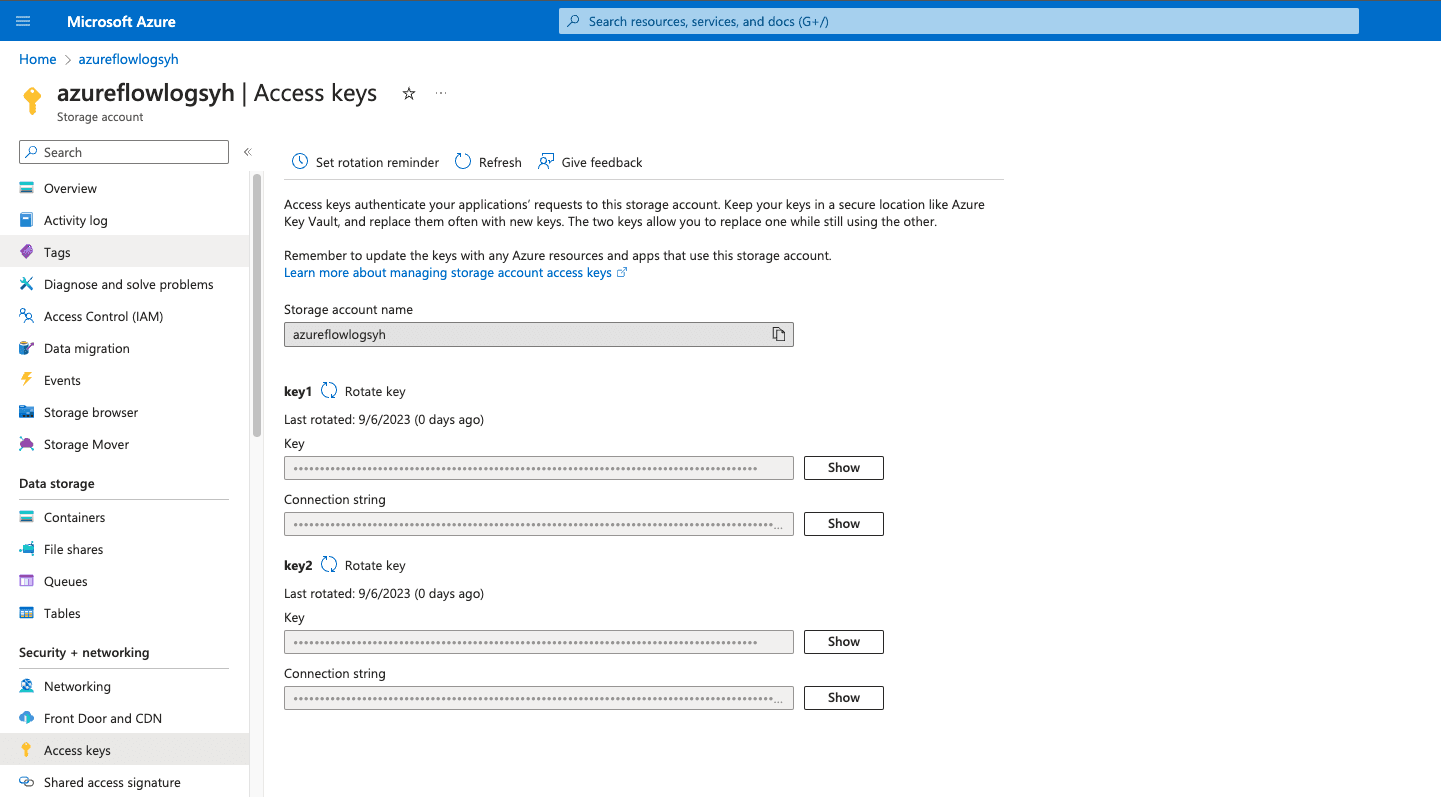
In your Azure Portal, navigate to Storage Account > and select the Storage Account you want Cribl Search to access, then go to the Access Keys. You will see a handful of keys already configured for the storage account. You can Rotate key if necessary. Copy the Connection String of the key you’d like to use.
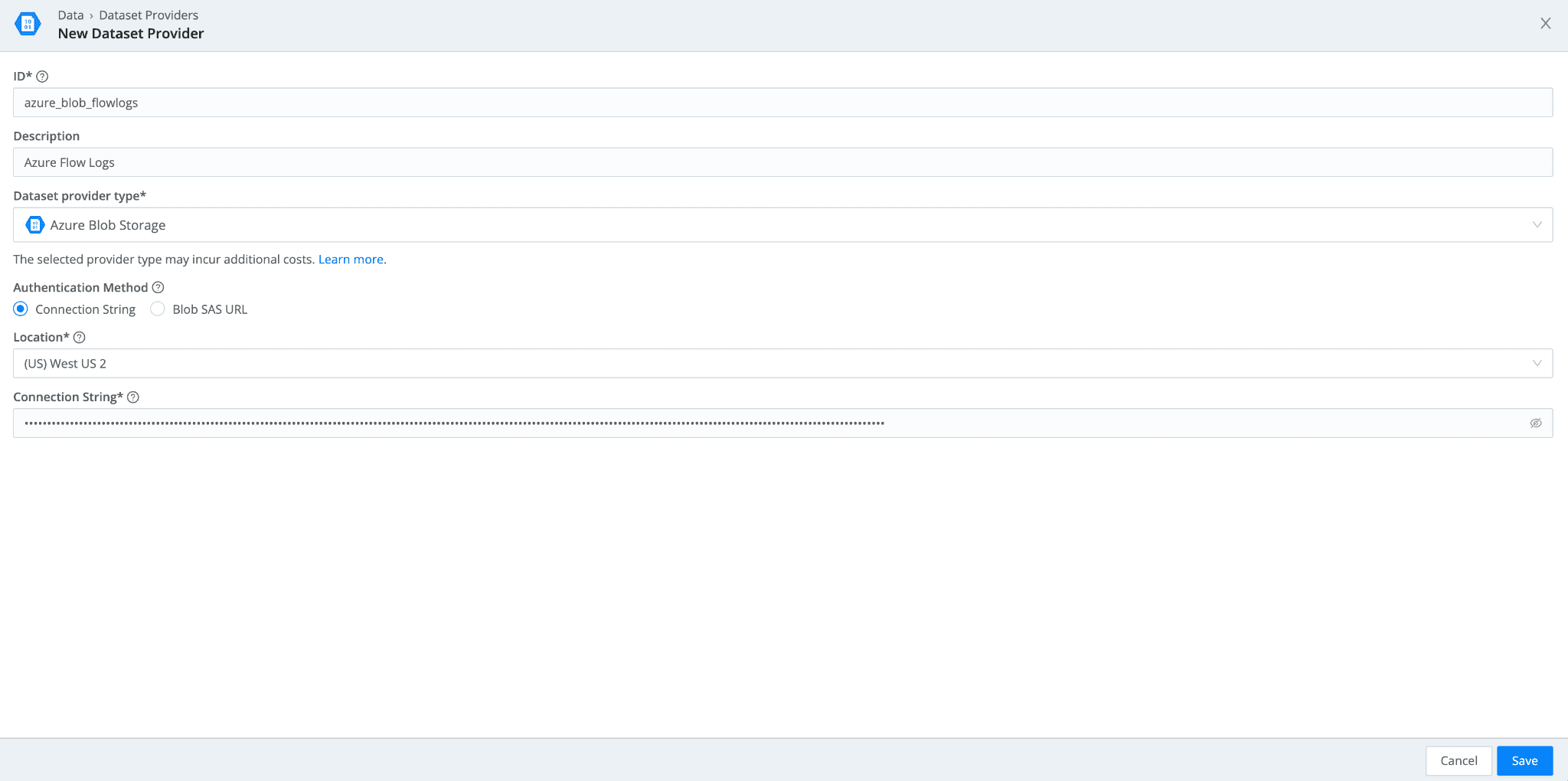
In Cribl Search, navigate to Data> Dataset Providers > Create Provider. Select Azure Blob Storage. Add the Connection String you copied from Step #1 along with the location of your Storage Account.
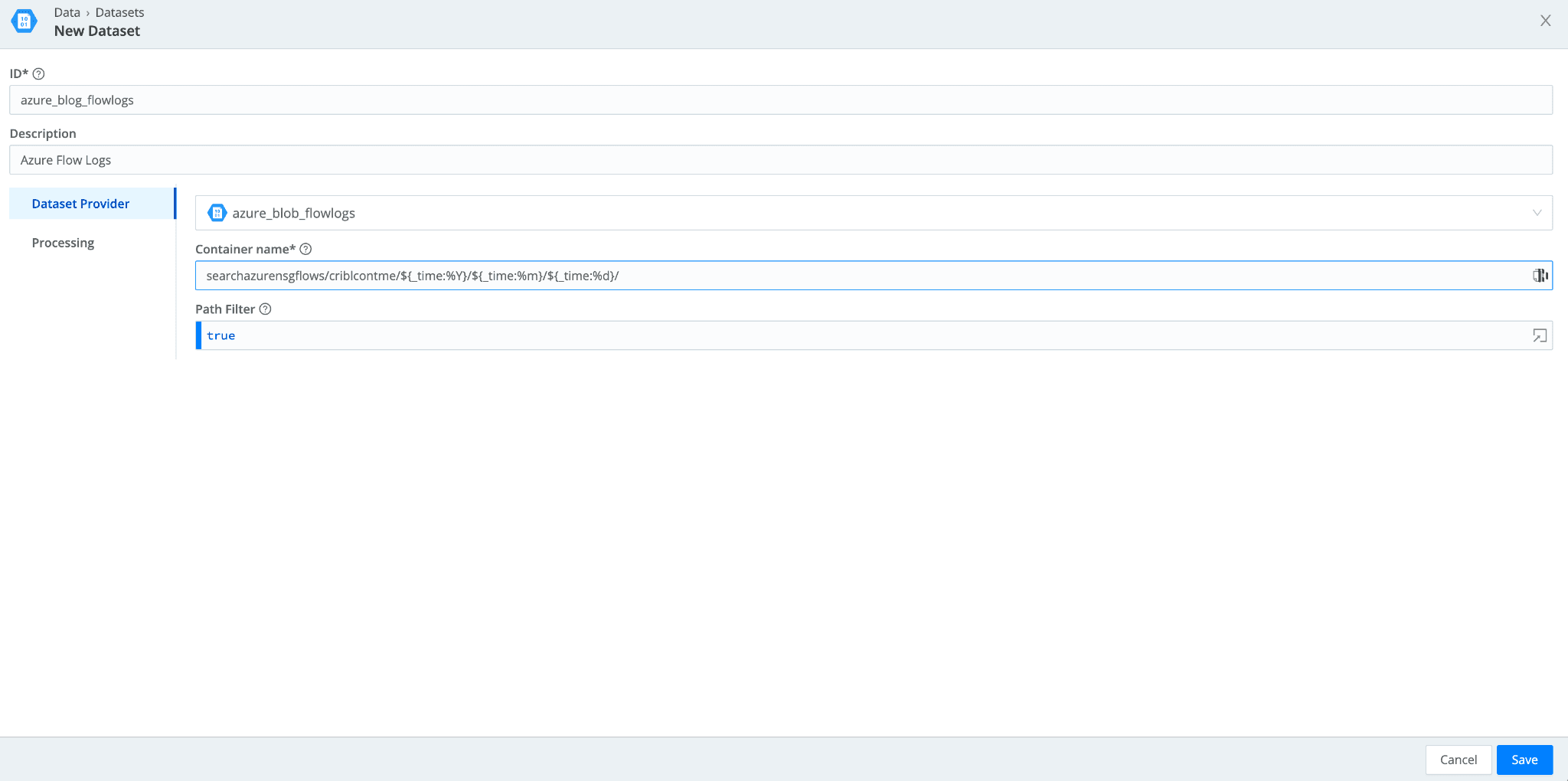
Navigate to Data > Datasets > Add Dataset. Set the Dataset Provider to the Azure Blob dataset provider (its ID) you created in the earlier step. Populate the Container name with the storage container and prefixes you have in your Azure Storage Account. If you want to tokenize parts of that prefix, you can use the following syntax:
"mybucket/${fieldA}/${fieldB}"
Running a Federated Search Across All 3 Cloud Providers
We now have all three cloud providers configured within Cribl Search. It’s time to federate some searches.
In this example, each of the three cloud providers has flow logs in their object storage that we have configured Dataset Providers and Datasets to access. To give all three datasets a uniform naming convention, each dataset is appended with “_flowlogs”. This naming convention allows us to run the first search to combine data from all three datasets:
dataset="*_flowlogs" | limit 1000
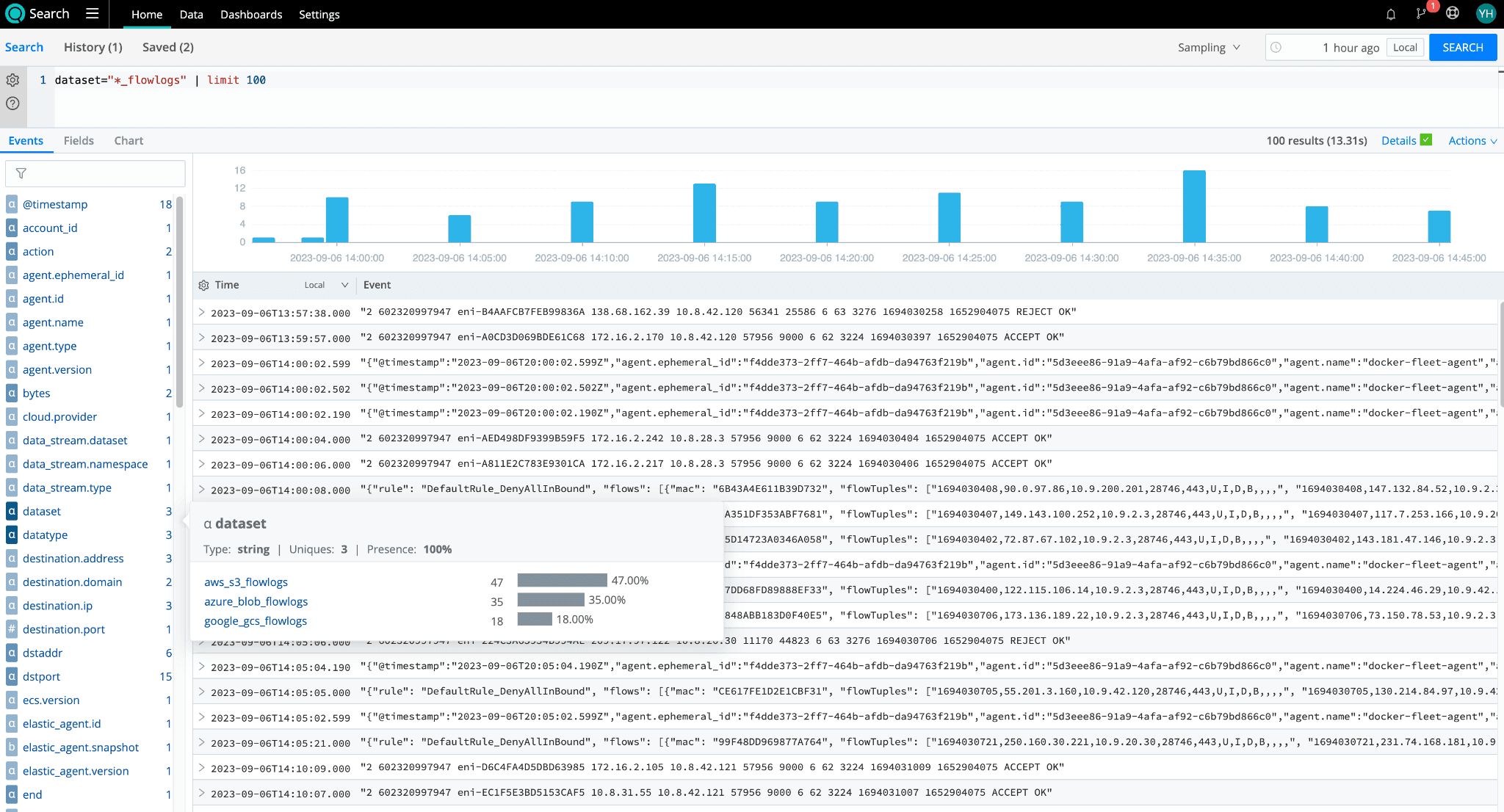
We can see all three datasets from GCS, Azure Blob, and Amazon S3 returning results here. With Cribl Search, you can easily gather all your flowlogs from your multi-cloud management environments for analysis.
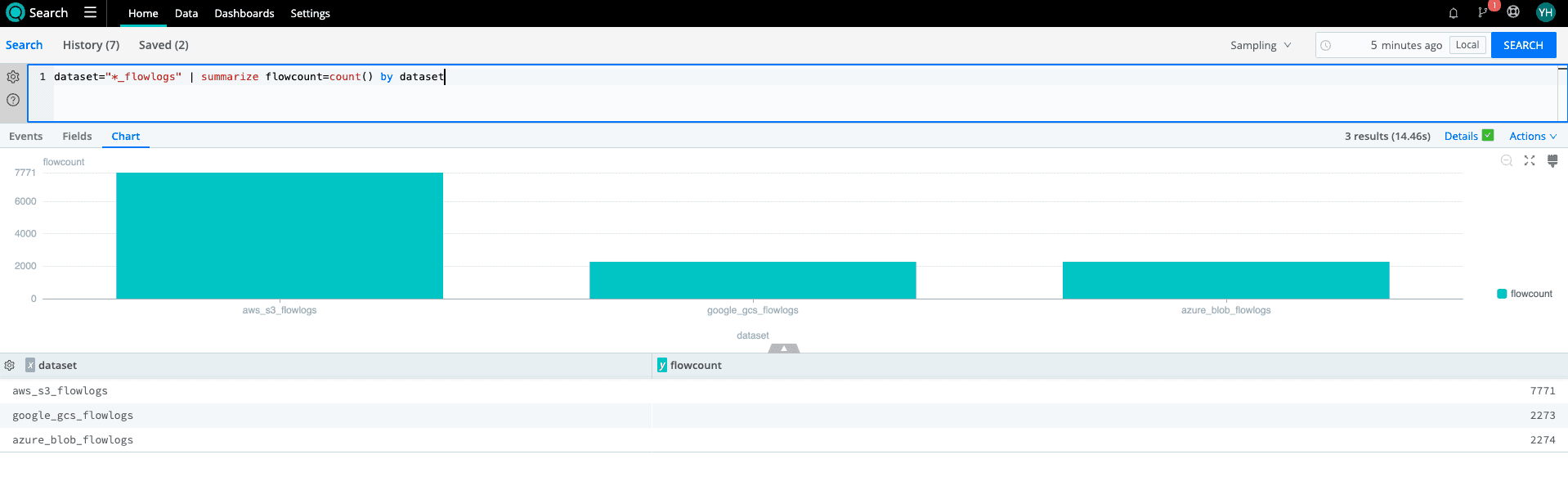
Let’s take that search and turn it into a bar chart with counts of each dataset’s flowlog. By visualizing each provider’s flowlog volume, I can see if there are any anomalies in terms of the volume I expect from each and add this visualization to my dashboard.
dataset="*_flowlogs" | summarize flowcount=count() by dataset
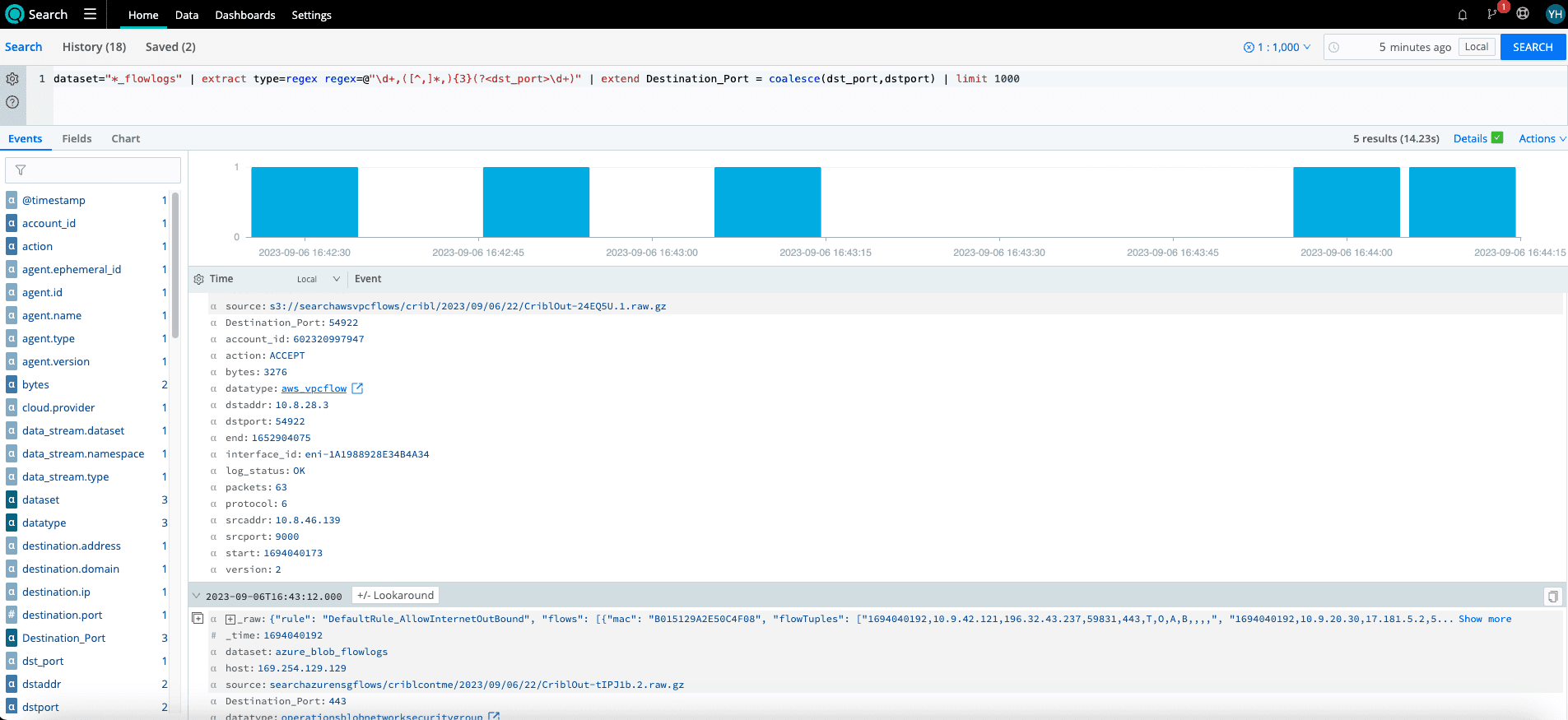
It is likely that the three providers will also share fields. However, they can’t make it THAT easy! For our AWS flowlogs, we already have a “dstport”; however, Azure organizes flowlogs into tuples from which we must extract the destination port.
As part of the next search, we try to accomplish just that and then go one step further by using the coalesce operator to create a normalized field, “Destination_Port”, across my Azure and AWS flows. It is also possible to create datatypes with normalized fields for each dataset as well. (More details here: https://docs.cribl.io/search/datatypes/). Now that I have normalized fields, I can analyze data across all three cloud providers agnostically.
dataset="*_flowlogs" | limit 1000 | extract type=regex regex=@"\d+,([^,]*,){3}(?<dst_port>\d+)" | extend Destination_Port= coalesce(dst_port, dstport)
How Cribl can help with federated search across cloud data lakes
Multicloud environments and data lakes are growing, and telemetry volumes continue to increase. Cribl provides tools for telemetry and gives IT and Security teams choice, control, and flexibility to manage, investigate, and analyze telemetry, with no vendor lock-in and without data loss. Cribl Search brings federated search to your datasets so they come together, get normalized, and provide insights across platforms at once. Stop switching between clouds for analysis.
Cribl Search separates the query engine from storage, so data stays portable and interoperable across Amazon S3, Google Cloud Storage, Azure Blob Storage, and other storage systems. Search in place, find what matters, and forward only the critical results to your SIEM or analysis system.
Cribl Search works with other Cribl products: Stream for real-time streaming, Edge for distributed collection, and Lake for tiered data lake storage. Together they form a central hub that reduces data volume and complexity, cuts costs, and keeps telemetry available for investigations, audits, or capacity exercises.
To run multi-cloud searches, connect your data lakes, start querying, and share what you build with us in the Cribl Community Slack.
What is federated search in Cribl Search?
Federated search lets you run a single query across multiple datasets and locations simultaneously. Cribl Search dispatches the query to where your data is stored, whether that is Amazon S3, Google Cloud Storage, or Azure Blob Storage, so you do not have to move or ingest data first
Do I have to move my data out of my cloud data lake to search it?
Cribl Search queries data in place, where it is stored. That avoids egress charges for moving data, re-indexing, and extra licensing costs in your analysis system.
How does Cribl Search authenticate to Amazon S3?
You can use an access key and secret key, or AssumeRole. With AssumeRole, Cribl Search Compute assumes a role in your AWS account. Your trust and permission policies specify which resources it can access.
How do I search across datasets in multiple cloud providers at once?
Use the coalesce operator to create a normalized field across datasets, or define Datatypes with normalized fields for each dataset. Either approach lets you analyze data across providers without depending on provider-specific field names.
Can I replay data to my analysis system after searching it?
Yes. A common workflow is to search historical data in place, find what is relevant, and forward only that subset downstream. This avoids the cost of rehydrating everything.